As of June 1, 2020, the VDU product is no longer being developed. Support ended on December 31, 2020. Use KDS PRO instead.
To connect to the VDU kiosk, you need to make settings in the r_keeper_7 manager panel and directly in the VDU.
Settings in r_keeper_7 manager panel:
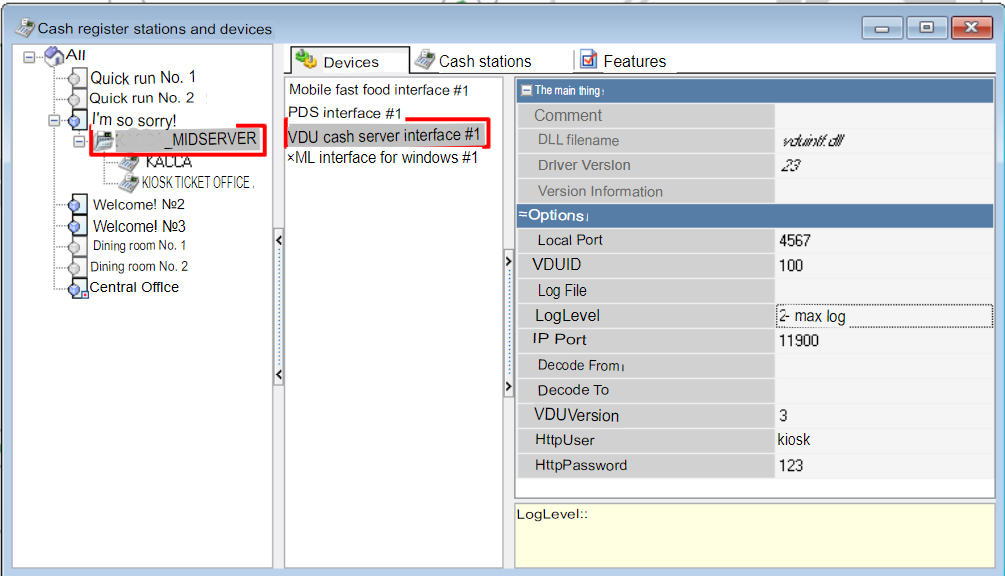
1. in the menuService > Stations and devices > [Restaurant] > [Cash server] > Devices, add the VDU cash server interfase device driver via the context menu:
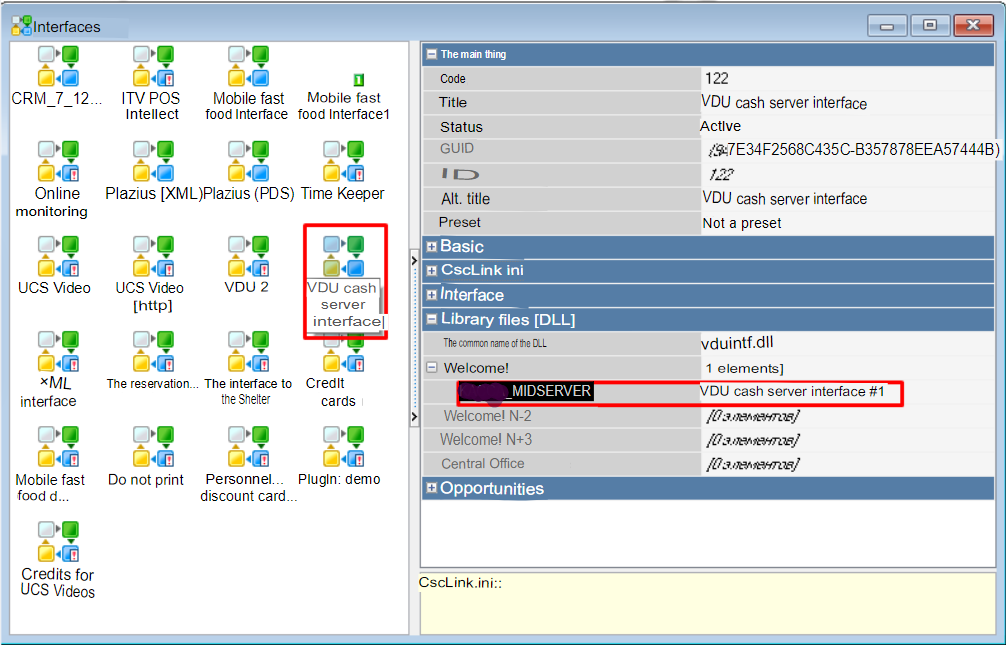
2. in the menuService > Interfaces, select the cash servers involved in the VDU operation;
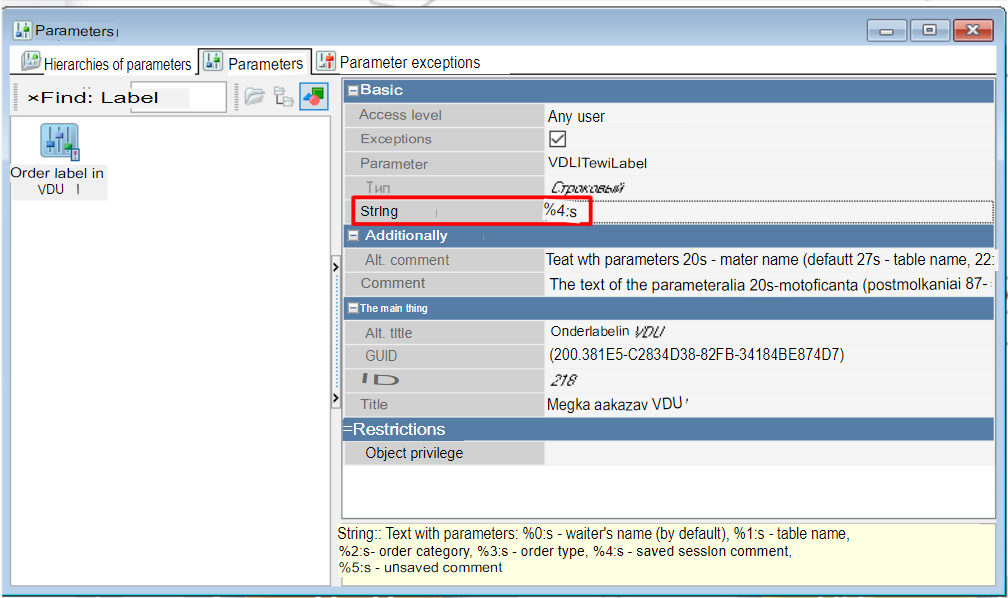
3. in the menuService > Parameters > Setupassign table labels for transmission to VDU, assign the value "%4:s" to theStringparameter.