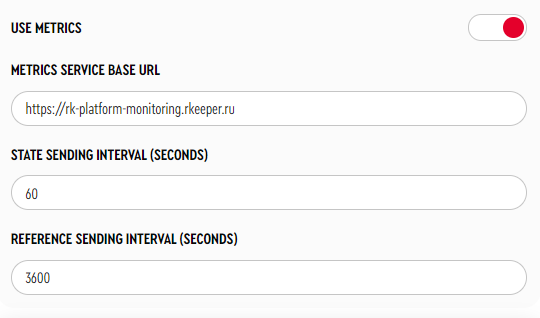
To enable the transmission of kiosk status metrics, navigate to Service Menu > Main Settings:
To retrieve data from the metrics service, you will need a Token. You can obtain the token by sending a request to the email: yaro@ucsrkeeper.at.
Request:
curl --location --request POST 'https://rk-platform-monitoring.rkeeper.com/api/v1/metrics/read' \
--header 'Authorization: Bearer <Token> \ The Token can be obtained by requesting at yaro@ucsrkeeper.at.
--header 'Content-Type: application/json' \
--data-raw '{
    "dateFrom": "2025-05-06T00:00:00Z",
    "dateTo": "2025-05-07T23:00:00Z",
    "cntFrom": 12000,
    "cntTo": 13000,
    "total": 100,
    "cashNetName": "KIOSK_1_STM",
    "champsID": "387K04",
    "objectCode": "527280004"
}' |
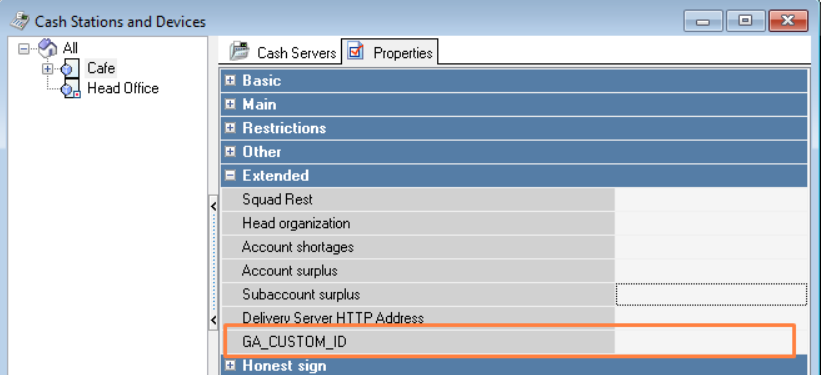
Also create a separate extended properties for the restaurant:
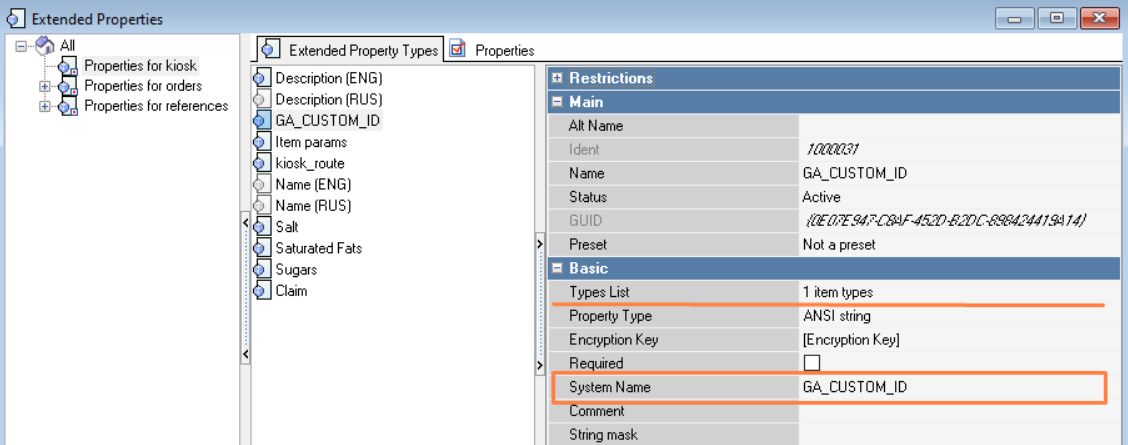
In the Service > Stations and Devices directory for the restaurant, in the created extended property, specify ChampsID — the restaurant code in the global KFC system (data can be obtained from the Franchisee).