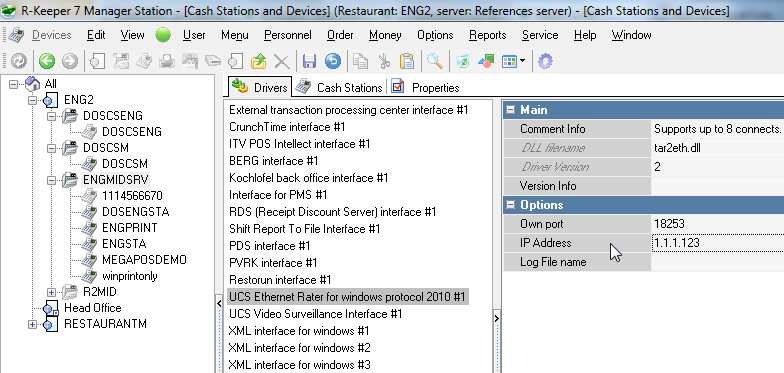
1.2. Add drivers to cash servers (UCS Ethernet Rater for windows protocol 2010) "Drivers" tabs.
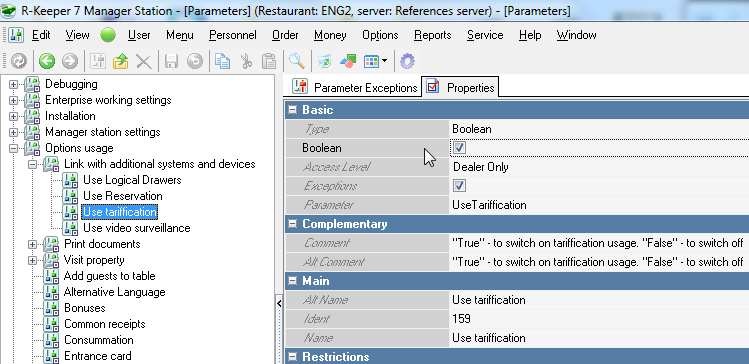
1.1. Enable parameter "Use tariffication" in Options->Parameters->Options usage->Link with additional systems and devices.
1.2. Add drivers to cash servers (UCS Ethernet Rater for windows protocol 2010) "Drivers" tabs.
1.2.1. Enter "IP Address" of PoolJet v.4 device (obligatory). IP Address (for previous versions) – router IP address.
1.2.2. For previous versions of PoolJet device there are UCS Ethernet Rater for windows and UCS Ethernet Rater DOS drivers.
1.2.3. "Local Port" property is cash server port to listen rater data (not device one). Set it to be unique.
1.2.4. Log File name() – fill filename with path (for troubleshooting).
1.3. Add logical interface (follow manual).
1.3.1. Open Service -> Interfaces reference.
1.3.2. Create new object(s) for each device (electric relay).
1.3.3. In its properties "DLL library file" section set corresponding driver(s) from 1.2.
1.3.4. Enter "TAR_Eth.dll" to "Common DLL name" and save.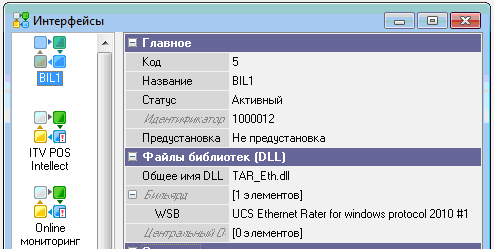
1.4. In Options->Tables and Plans->Hall plans and tables.
1.4.1. For each plan (if necessary) in "Tarrification device" tab create "table(s)": device(s).
1.4.2. Enter [Basic]->"Lane": it is the device port number.
1.4.3. Set [Basic]->"Rater device" logical interface from 1.3.
1.4.4. Set [Basic]->"tariff" from 1.5.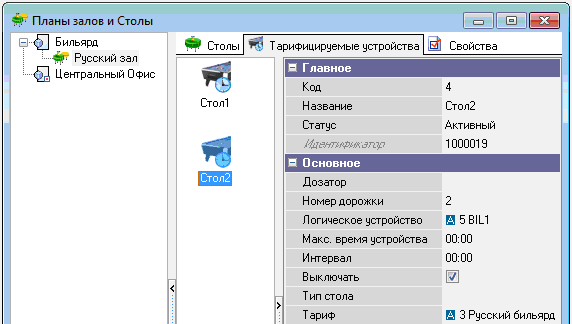
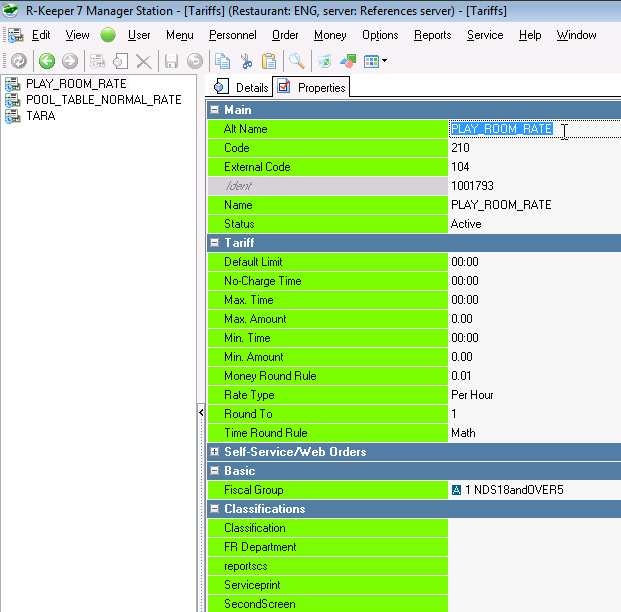
1.5. Create Tarifs.
1.5.1. Open Menu->Tariffs and "Tariffication types".
1.5.2. If these references are not active, you have to enable parameter from 1.1. and restart.
1.6. In case of non-hardware rater, see settings in 3.
2.1.1. Follow manual.
2.1.2. This manual is about Ethernet rater device.
2.1.3. There is another software PooLJet.32 exists. It's a separate software to use raters independently from R-Keeper.
3.1. Set Rater logical Device without setting device driver in [Basic] section.
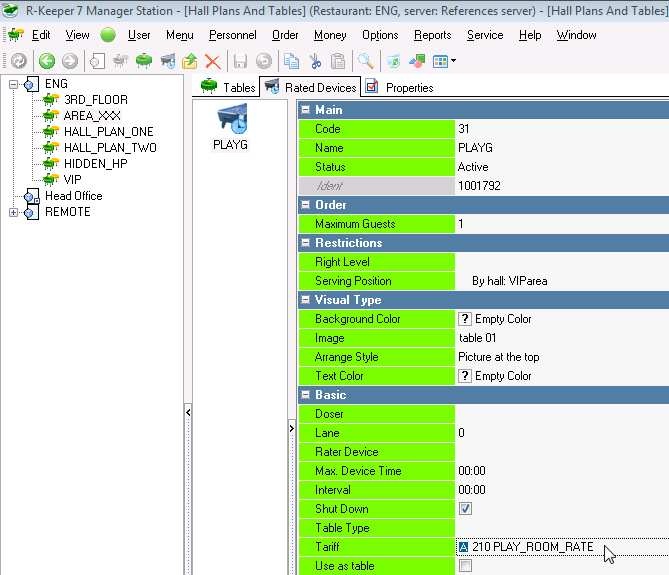
3.2. Create tariff and set it to Logical device.
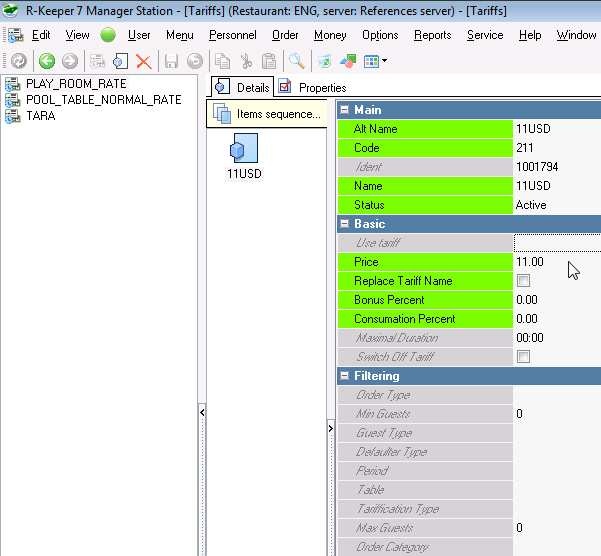
3.3. Create details for your tariff.
4.1.1. Stop cash server (Windows);
4.1.2. Run preload .\rkeeper.ini ;
4.1.3. Move tar_eth.dll driver from \preload\ folder to cash server folder.