Introduction
Requirements:
- R_keeper version 7.7.0.120 and older
- CEF4 Cash register browser
- Added button to call the Establishment Interface
Settings in the manager station
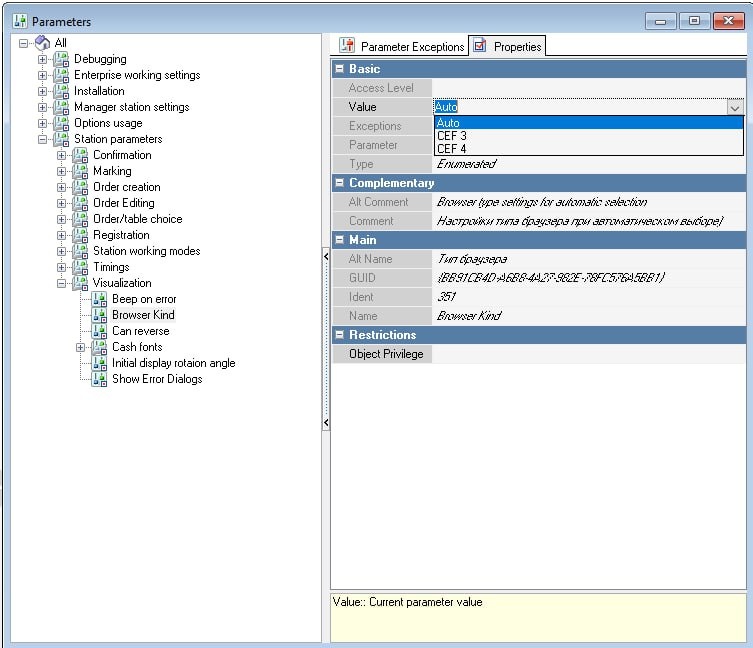
Setting up your browser type
The first thing you need to do is change your browser type.
- Go to Settings > Options > Workstation Options > Visualization > Browser Type
- Open the parameter properties
- In the value field, select CEF 4
- Save the changes.
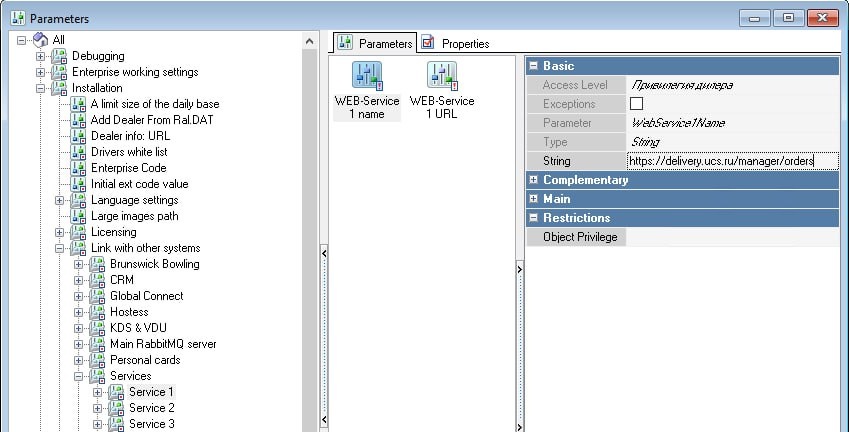
- Without closing the settings, go to the section Installation > Communication with other systems > Services
There are 4 settings to choose from, you can use any. In the example we use Service #1. - Select the setting Service 1 > Web Service URL 1
- In the String field, specify: https://delivery.ucs.ru/manager/orders
- Select the Web Service Name setting
- In the String field, write "r_k Delivery" or "Delivery"
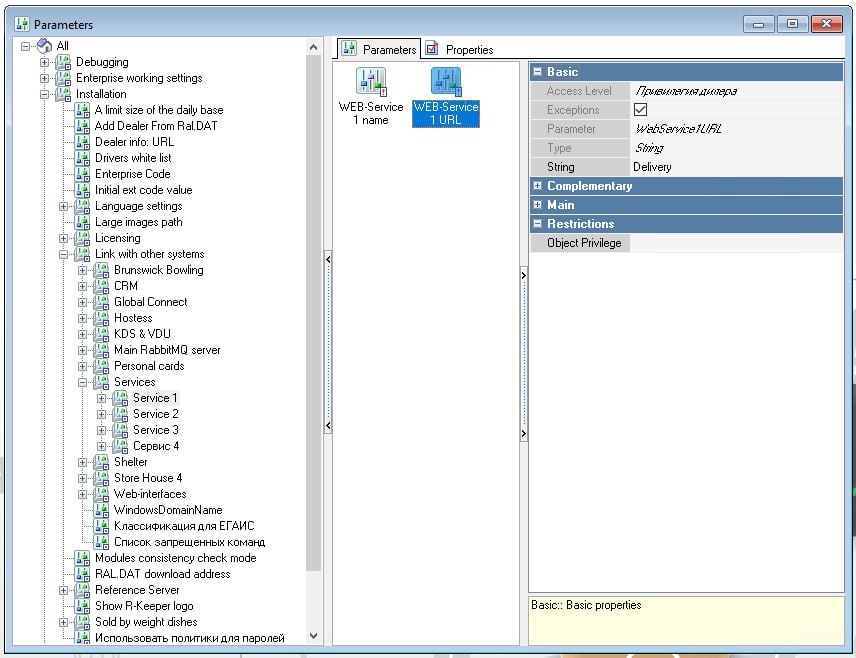
- Save the changes. The settings in the manager station are complete.
Setting up the cash register resolution
To display the delivery interface correctly, make sure that you have the correct resolution of the cash register screen set. To do this:
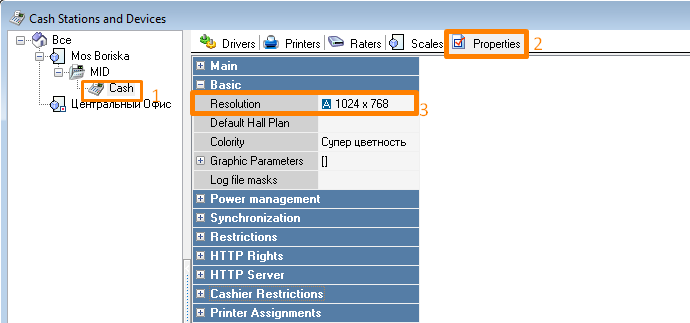
- Go to menu Service > Stations and devices
- Select the establishment for which you are setting up delivery
- Go to the cash register of the establishment from which delivery orders will be accepted and go to its Properties
- In the General section, find the Resolution field.
- Select the resolution required for the cash register screen where delivery will be handled.
We recommend using the monitor screen resolution, since only in this case the establishment's Interface will be displayed correctly when you click on the Delivery button
- Save changes
Working at the station in the Establishment Interface
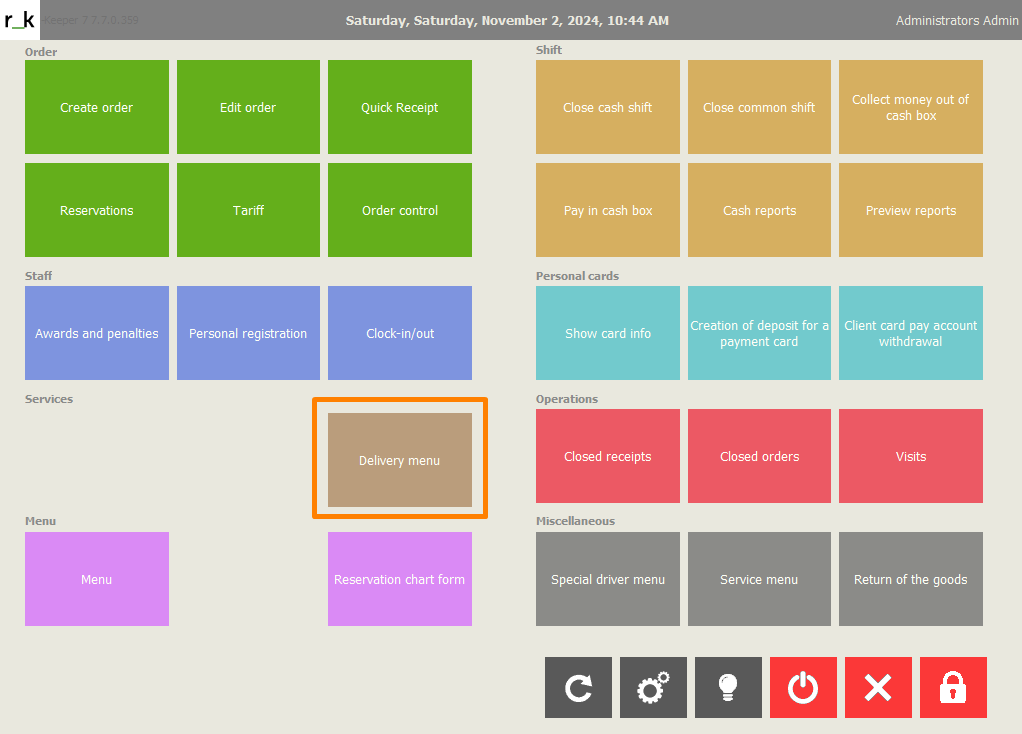
- Tap on the r_k Delivery button
- The authorization page will open. Tap Login, enter the manager login and password
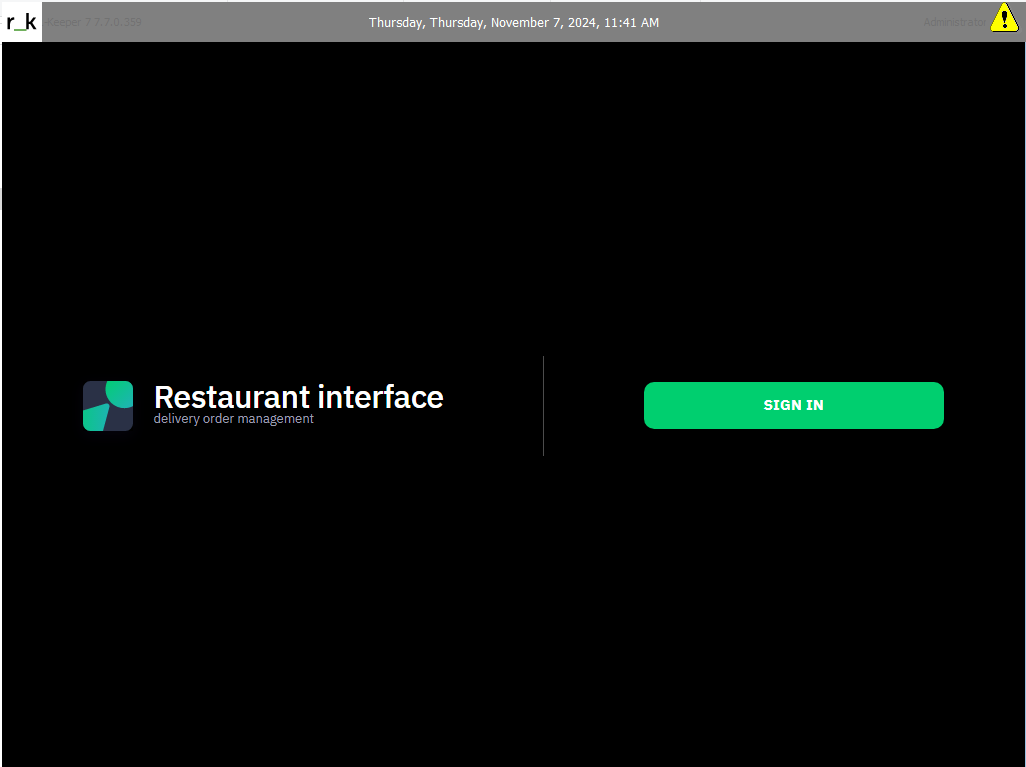
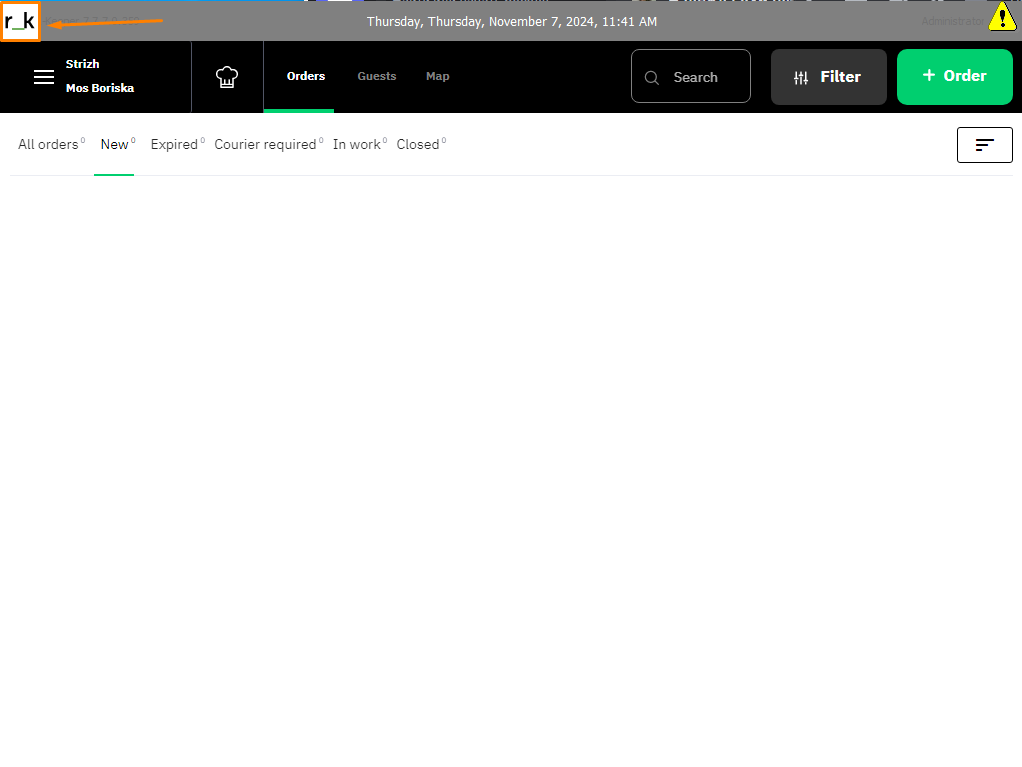
Then you can work with the Establishment Interface as in a regular browser. More details in the article — about the Establishment Interface. - To return to the cash register interface, click on the r_keeper icon in the upper left corner