In the "User Properties" on the StoreHouse tab, the user's permissions for department groups and documents they can work with are defined.
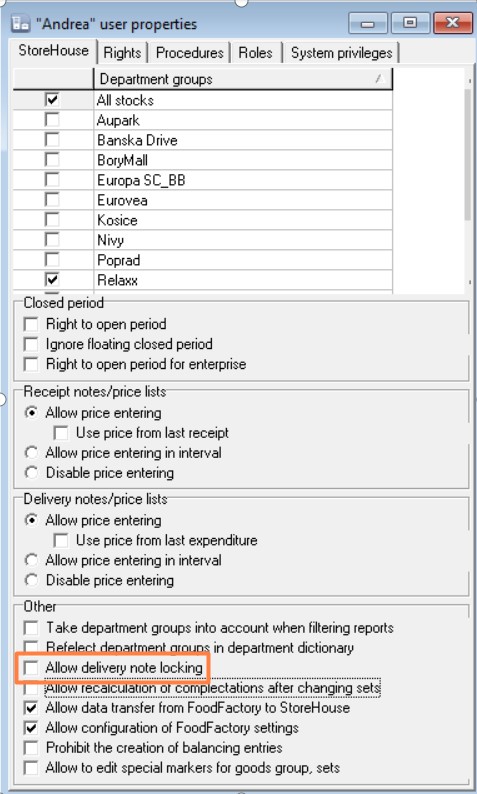
For a user to have the right to work with documents of certain enterprises, check the boxes next to the corresponding Department Groups.
The flag "Reflect (Consider) department groups in the department dictionary" in the Other section also affects work with documents in FoodFactory. When this flag is set, when creating documents, it will be possible to select departments from the department groups defined for the user in the "Department Groups" area.
Thus, if the flag "Reflect (Consider) department groups in the department dictionary" is NOT set, the user will have access to select ALL departments from any department group when creating delivery notes and requests.
In this case, the user will be able to create documents using any departments (warehouses) but will not be able to activate documents with warehouses from a department group for which they do not have permissions (the flag for the department group is not set).
The flag "Take department groups into account when filtering reports" affects the ability to select departments in the filter of the r_k SH Pro delivery notes list.
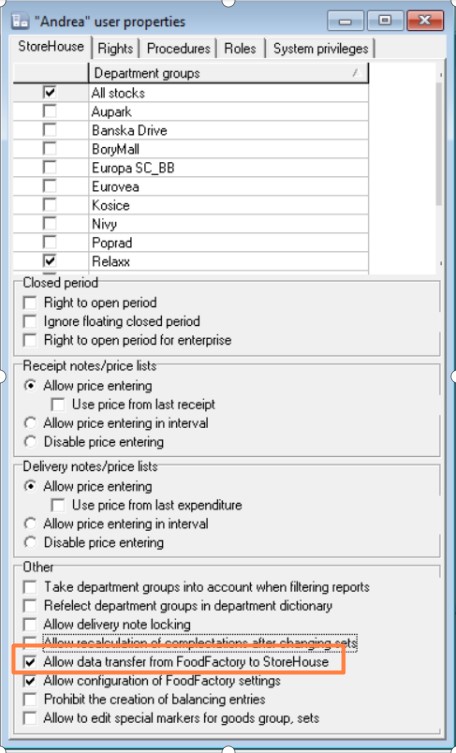
When this flag is set, in the filter settings of the r_k SH Pro delivery notes list, it will be possible to select departments only from the department groups defined for the user in the "Department Groups" area.
Thus, if the flag "Take department groups into account when filtering reports"" is NOT set, the user will have access to select ALL departments from any department group in the r_k SH Pro delivery notes list filter.
In this case, the user will be able to view delivery notes from any departments (warehouses) but will not be able to activate documents with warehouses from a department group for which they do not have permissions (the flag for the department group is not set).