The filter for the Estimated Cost report:
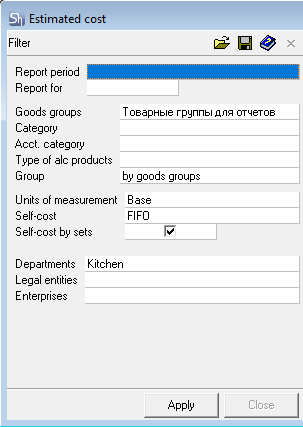
The filter parameters "Report as of", "Departments", "Legal Entities", "Enterprises", "Product Groups" are filled in using standard methods.
Additional filter fields:
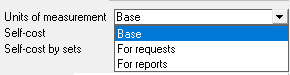
Units of Measurement – in this field, select a unit of measurement from the drop-down list: Base, For Requests, or For Reports. The quantity of goods in the report will be displayed in the selected unit of measurement.
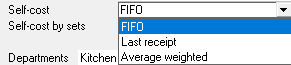
Cost pricing Method ("self-cost") – in this field, select the method for accounting for the cost of goods in the report: FIFO, Last Receipt, or Weighted Average.
Cost price by sets – check this box if you want the cost in the report to be calculated based on the ingredients of the sets. Otherwise, the cost of goods based on delivery notes (without considering ingredients) will be used.
After filling out the filter, to generate the "Estimated Cost" report, click the [Apply] button.