Expiration Date Report
The report contains data on goods stock indicating the expiration date from receipt notes. Goods are displayed separately for each receipt note to the department.
Receipt Notes — receipt note, internal sale (receipt), reconciliation statement (surplus), set assembly (receipt), set disassembly (receipt), processing act (receipt), return from customer.
The report was added in r_k StoreHouse Pro version 5.109.396
For the correct generation of this report, the presence of attributes in the database is necessary:

Attributes will be added automatically when updating r_k StoreHouse Pro to version 5.109.396
Filling values for attributes in delivery notes and on product cards is done manually. Bulk operations are not available.
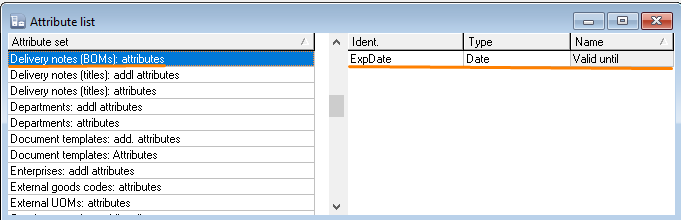
Attribute of the delivery note specification "Exp. Date" ("Use By"). Filling in the delivery note specification is mandatory for report generation.
Expiration Date Report - Filter
In this attribute of the delivery note specification, it is necessary to specify the expiration date of the delivered goods item.
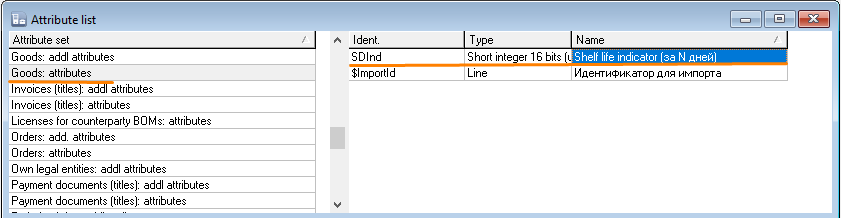
If the expiration date of the delivery is not specified for a delivery note line, information on this delivery will not be processed in the "Expiration Date Report"Attribute of the goods item "Expiration date Indicator (N days before)".
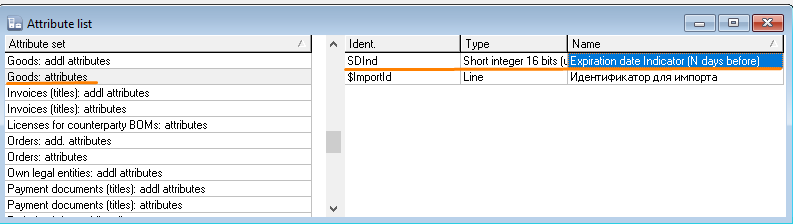
Filling the attribute in the goods item is optional, it only affects the additional indicator in the report
In this attribute, the number of days before the expiration date is specified, indicating when to start highlighting the delivery in the "Expiration date Report" for an approaching expiration date.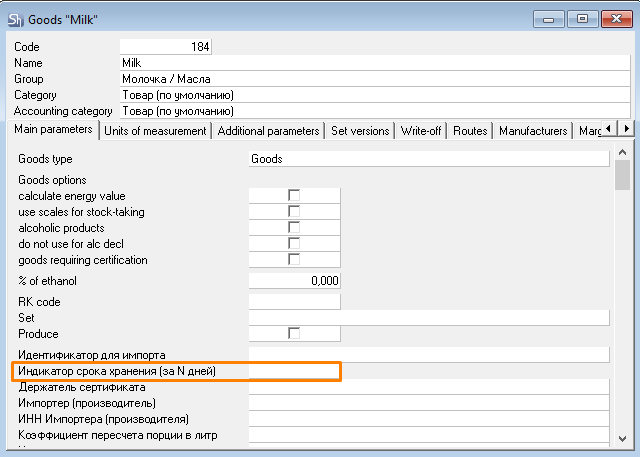
Expiration Date Report - Filter
The Expiration Date Report filter is shown below:
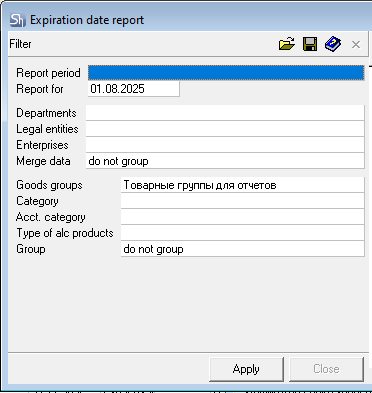
Parameters of the report filter "Report As Of" ("Report for"), "Departments", "Legal Entities", "Enterprises", "Goods Groups", "Category", "Accounting Category", "Type of Alc. Product", "Report Currency" are filled using standard methods.
Expiration Date Report - Content
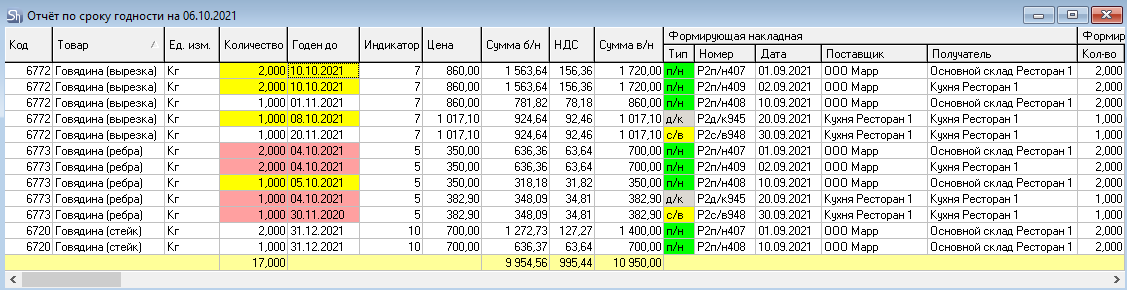
The Expiration Date Report window is shown in the figures below.
Only stocks of goods for which the delivery note specification attribute "Expiration date" is filled in their receipt notes will appear in the report. If there are no such delivery notes, the report will be generated empty.
WRITE-OFF OF GOODS IN r_k StoreHouse Pro OCCURS USING THE FIFO METHOD. Deliveries will be written off regardless of the expiration date indicated in the delivery notes. The report is for informational purposes only.
Data on goods with expired expiration date will appear in the report until the entire delivery is written off according to FIFO.
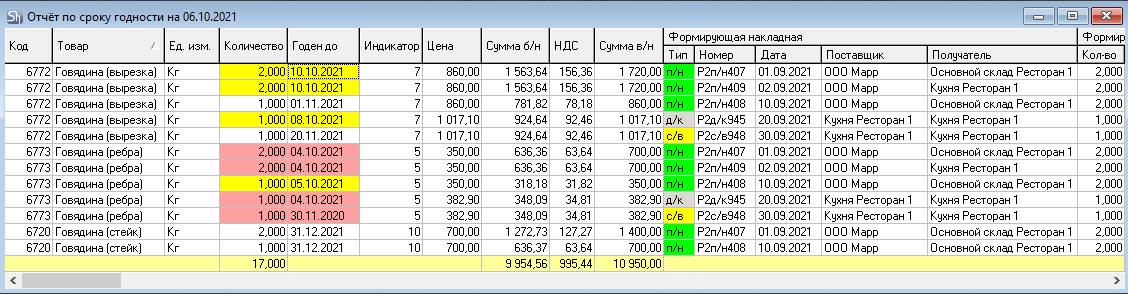
Each row of the table represents the stock of a goods item from a receipt with the delivery note specified in the group of fields "Delivery Note and Stock at Department", indicating the delivery note of the first receipt of the goods item to the enterprise, in which the attribute "Expiration date" is filled.
The report contains the following columns:
Code — code of the goods item in the goods dictionary;
Goods — name of the goods item;
UOM — unit of measurement "for reports" of the goods item;
Quantity — stock of the goods item from the receipt specified in the field in the group of fields "Delivery Note and Balance at Department"; if the field Delivery Note Number contains a reconciliation statement, then the Quantity field will indicate the value of surplus/shortage based on the results of this reconciliation statement;
Exp. date — expiration date of the goods item, specified in the delivery note specification attribute "Expiration date" from the delivery note in the group of fields "Forming Delivery Note".
Yellow background highlights rows of goods item stocks whose expiration date has not yet expired on the current computer date of opening the report, but for which the goods item has a specified indication period (how many days before expiration), and the current computer date falls within the specified indication interval.
Red background highlights rows of goods item stocks whose expiration date has already expired on the current computer date.
The report filter date does not affect the indication based on expiration date. The current computer date of opening the report is used for indication.
Expiration date indicator (N days before) — attribute of the goods item. The number of days before which to start highlighting the stock of a goods item whose shelf life is close to expiration.
Price — price of the goods item in the receipt specified in the field group "Delivery Note and Balance at Department";
Sum e/t — amount excluding taxes of the goods item stock from the receipt specified in the group of fields "Delivery Note and Balance at Department";
VAT — value-added tax from the defining delivery note of the goods item;
Sales Tax — sales tax from the defining delivery note of the goods item;
Sum i/t — amount, including taxes, of the goods item stock from the receipt specified in the group of fields "Delivery Note and Balance at Department".
The group of fields "Forming Delivery Note" contains the following columns:
Type — this field indicates the type of delivery note of the initial receipt of the goods item to the enterprise;
Number — number of the delivery note of the initial receipt of the goods item to the enterprise;
Date — date of the delivery note of the initial receipt of the goods item to the enterprise;
Supplier — supplier of the delivery note of the initial receipt of the goods item to the enterprise;
Recipient — recipient department of the delivery note of the initial receipt of the goods item to the enterprise;
The group of fields "Forming Receipt" contains the following columns:
Quantity — quantity of the goods item in the forming delivery note;
Price — price of the goods item in the forming delivery note;
Sum e/t — amount excluding taxes of the goods item stock from the receipt specified in the group of fields "Forming Delivery Note";
VAT — value-added tax from the forming delivery note of the goods item;
Sales Tax — sales tax from the forming delivery note of the goods item;
Sum i/t — amount, including taxes, of the goods item from the receipt specified in the group of fields "Forming Delivery Note".
The group of fields "Delivery Note and Balance at Department" contains the following columns:
Type — this field indicates the type of delivery note that formed the goods item stock at the department;
Number — number of the delivery note, the stock for which is displayed in this row;
Date — date of the delivery note, the stock for which is displayed in this row;
Quantity — quantity of the goods item in the delivery note that formed the goods item stock at the department.
Supplier — supplier of the delivery note that formed the goods item stock at the department
Recipient — recipient department of the delivery note that formed the goods item stock at the department.