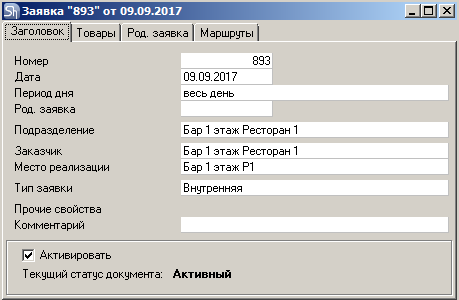
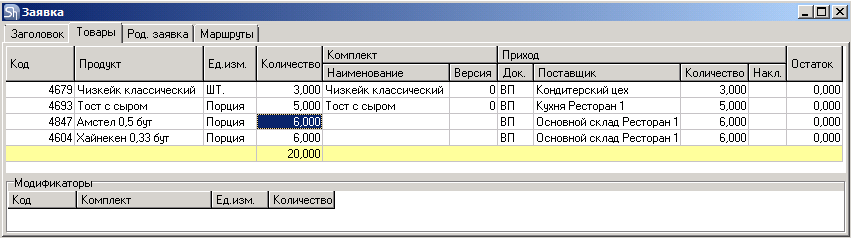
The child request is filled in automatically upon creation.
Let's consider an example.
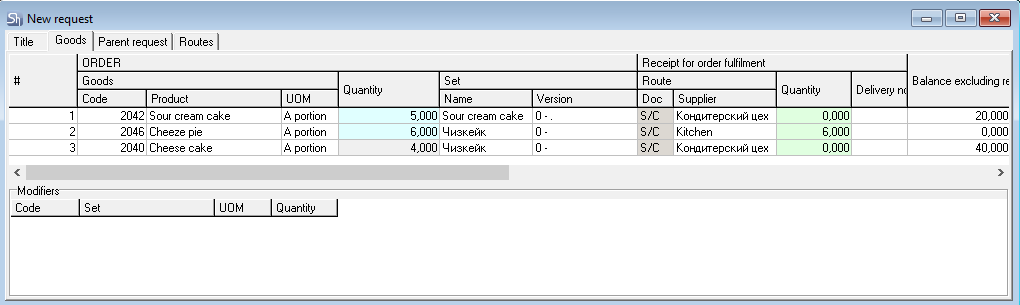
The Bar needs dishes and goods for further sale, which this department preliminarily orders from various other departments.
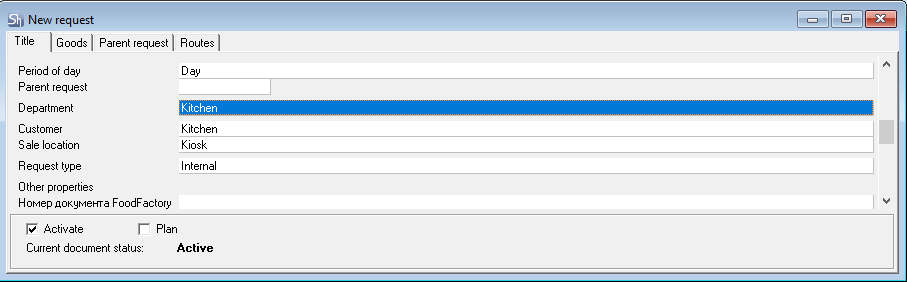
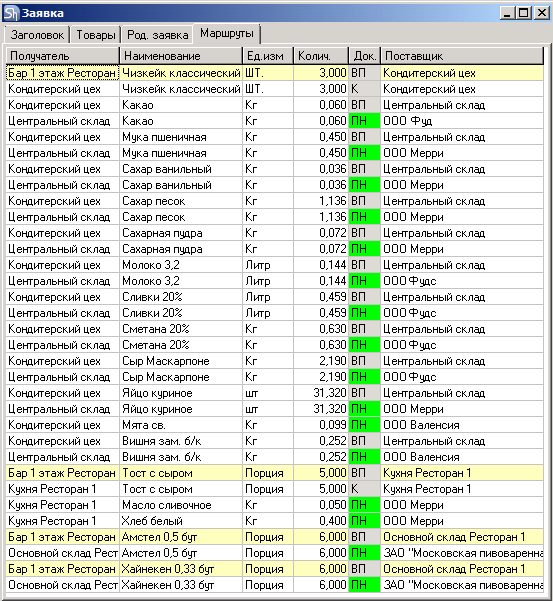
After saving the request, the "Routes" tab displays all the ingredients of the request's goods, indicating the documents that need to be created to process the original request.
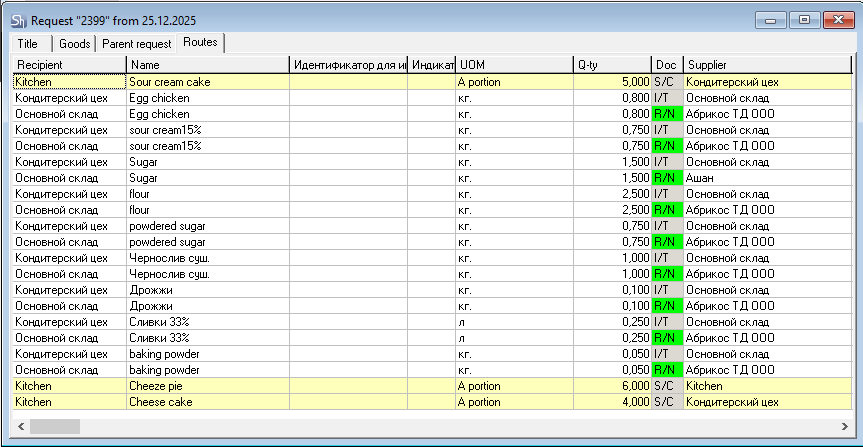
This route was built according to the routes specified in the goods cards.
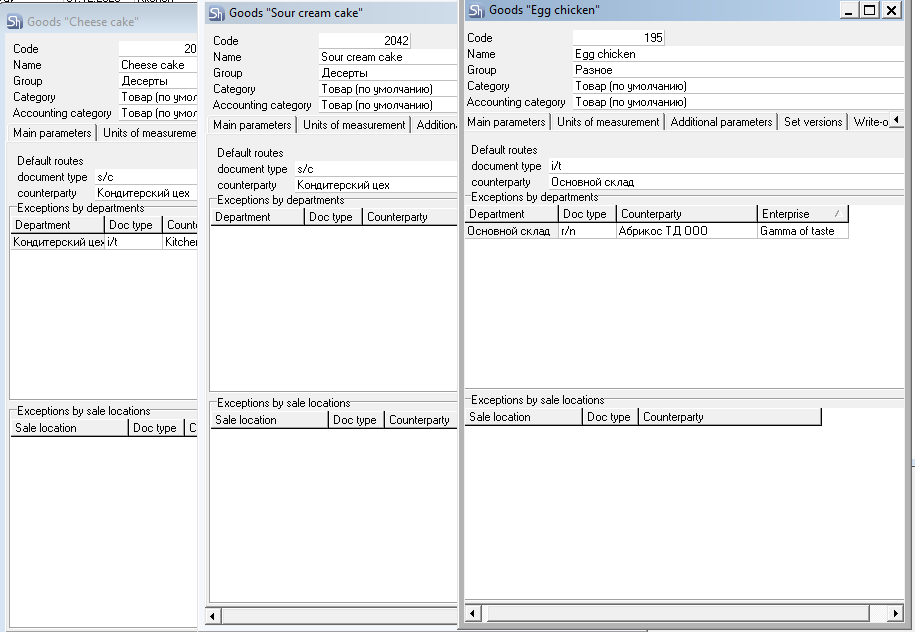
Since the department "Bar 1st floor Restaurant 1" was selected in the "Title" tab of the request, a route from the Department Exceptions area was created for the dish "Cheese Toast"`.
Before processing the created request, let's check the estimated expenditure using the "Estimated Expenditure" context menu command. A window will open:
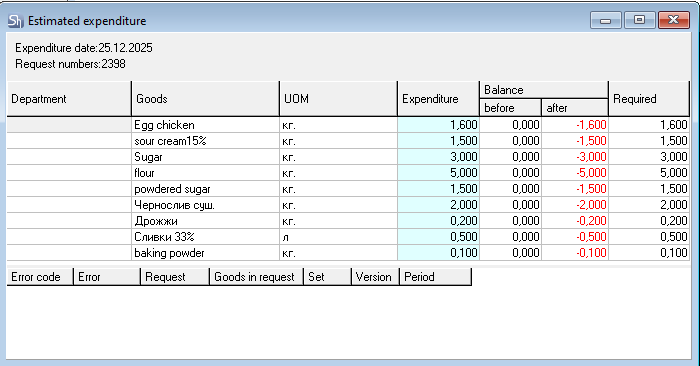
To avoid negative stock and, consequently, the formation of compensated entries, before processing the request, let's create child requests via the context menu from the main request. Based on the routes for the goods, three child requests will be generated for three departments (since the same route is specified for two goods in the request).
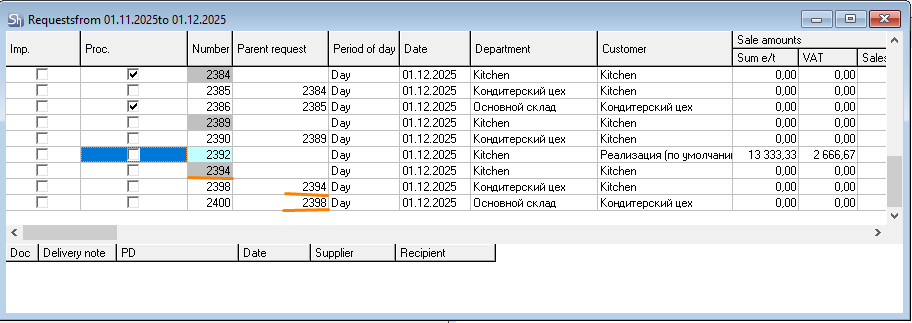 F
F
or the further example, we will consider one child request #930 for "Confectionery Workshop". This request will serve as an order for the production of "Classic Cheesecake".
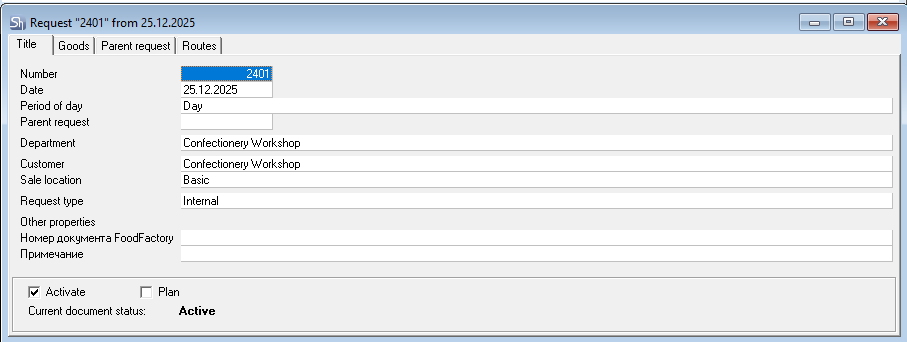
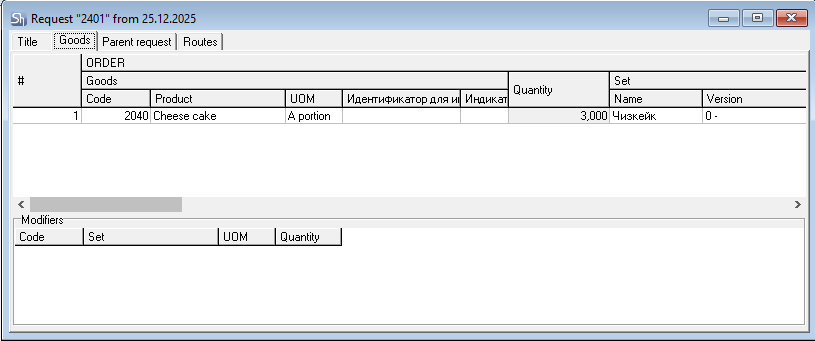
The child request was filled automatically, according to the route in the "Classic Cheesecake" goods card.
Before processing the created child request, let's also check the projected expenditure.
In the opened window, for some goods, a negative stock for the department "Confectionery Workshop" is displayed, i.e., these goods are insufficient for the production of "Classic Cheesecake". If routes are specified on the ingredient goods cards, another child request can be created to order them.
Let's create a child request from child request #2398.
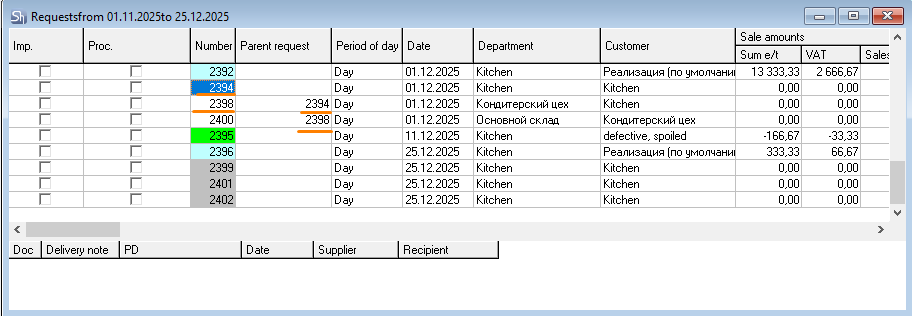
It will serve as an order for moving the listed ingredients to the "Confectionery Workshop" department.
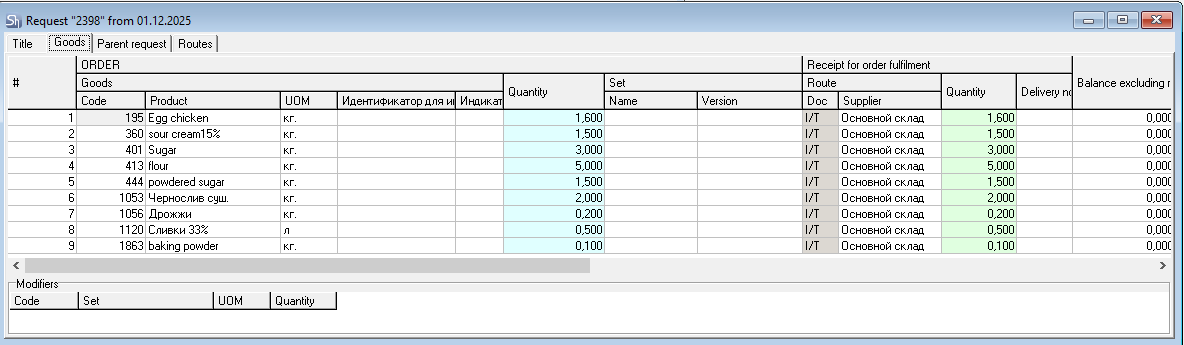
The request was filled automatically according to the routes in the ingredient goods cards. If necessary, you can manually change the values in the Receipt area fields: Doc., Supplier, and Quantity.
Also, if there is already stock for the goods in the department, this stock will be accounted for when processing the request.
If values in the Receipt area fields are missing, it means that no route is specified in the goods card. In this case, you can also manually specify the necessary values in the Doc., Supplier, and Quantity fields.
The Routes tab will display the movement routes for the goods in the request.
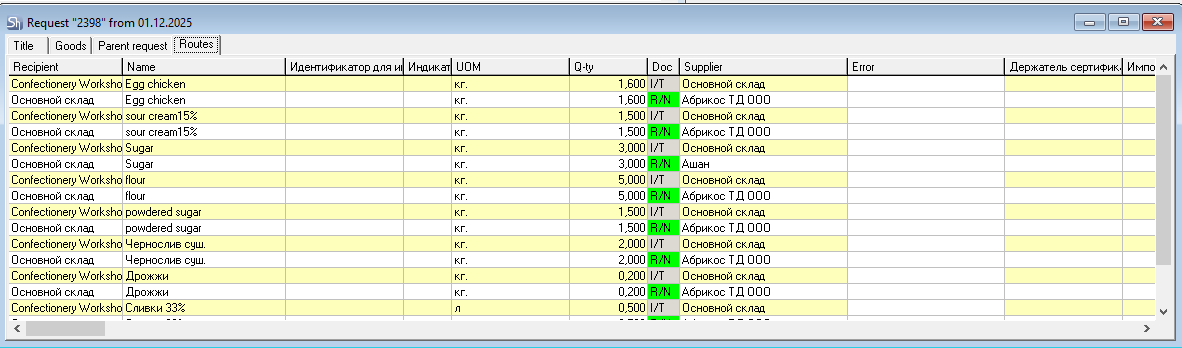
Let's check the estimated expenditure for request #931.
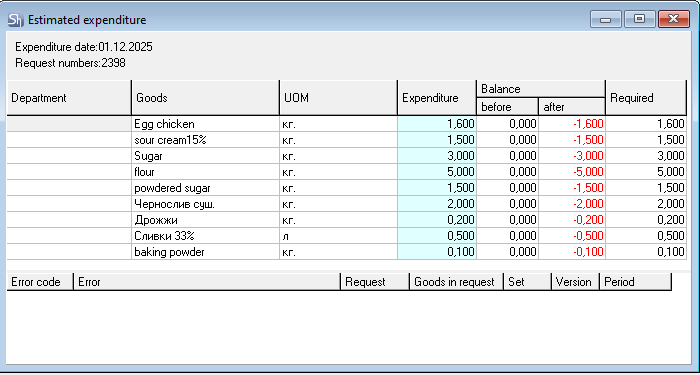
The opened window shows a sufficient quantity of the goods item required for the request in the department from which this item will be moved.
Now you can process the created requests by generating delivery notes using the "Create Delivery Notes for Request" context menu command.