Receipt Balances
Receipt Balances
The report contains data on goods stock, broken down by each receipt note to the department.
The receipt balances statement displays non-zero balances broken down by receipts, i.e., only those balances for which there was a receipt operation for the department(s).
Receipt Balances - Filter
Filter for the Balance by Receipts report: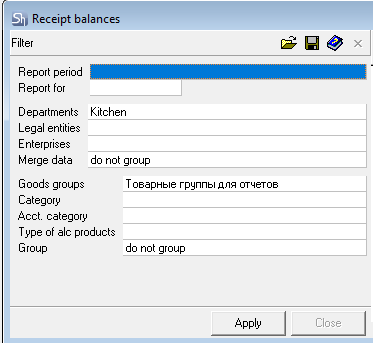
Parameters of the report filter "Report From ... To...", "Departments", "Legal Entities", "Enterprises", "Merge data", "Goods groups", "Category", "Acct. Category", "Type of alc. products", "Report Currency" are filled using standard methods.
Receipt Balances - Content
Receipt Balances report window: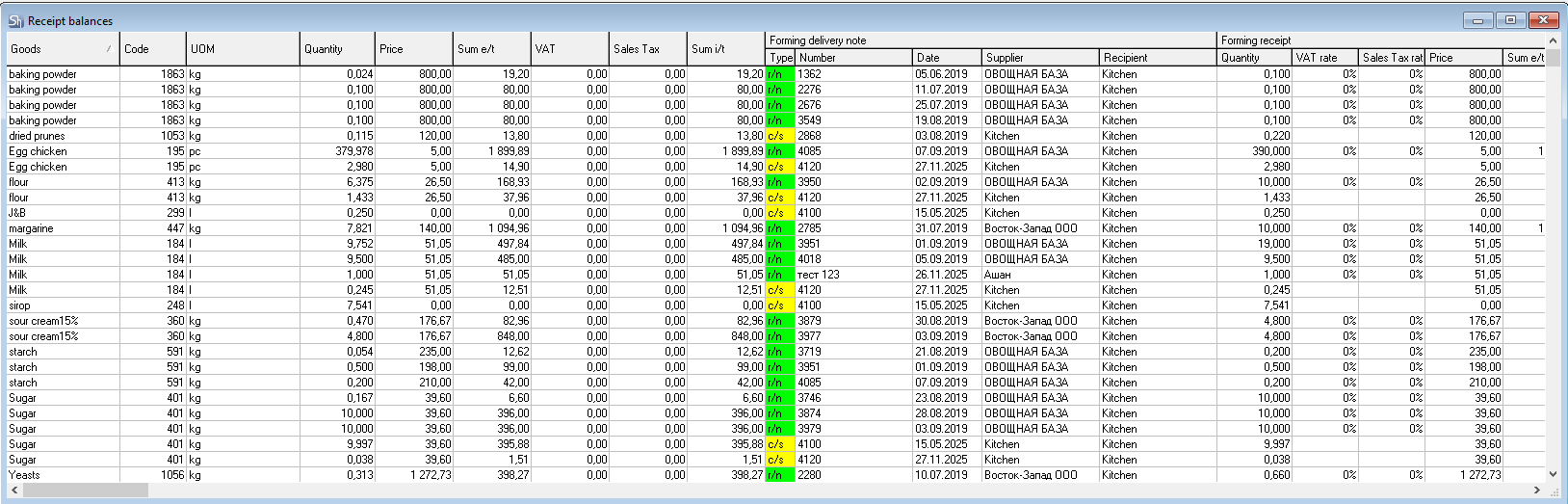
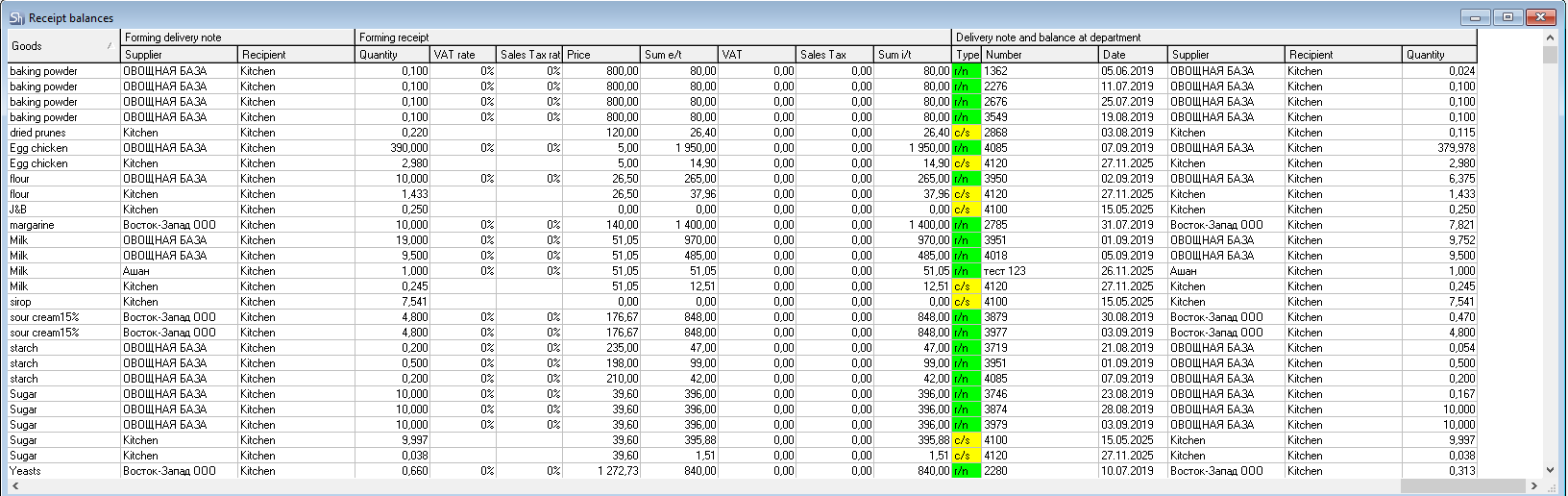
Each row of the table represents the stock of a goods item from a receipt with the delivery note specified in the group of fields "Delivery Note and Balance at Department", indicating the delivery note of the first receipt of the goods item to the enterprise.
The report contains the following columns:
Code — code of the goods item in the goods dictionary;
Goods — name of the goods item;
UOM — unit of measurement "for reports" of the goods item;
Quantity — stock of the goods item from the receipt specified in the field in the group of fields "Delivery Note and Stock at Department"; if the field Delivery Note Number contains a reconciliation statement, then the Quantity field will indicate the value of surplus/shortage based on the results of this reconciliation statement;
Price — price of the goods item in the receipt specified in the field group "Delivery Note and Balance at Department";
Sum e/t — amount excluding taxes of the goods item stock from the receipt specified in the group of fields "Delivery Note and Balance at Department";
VAT — value-added tax from the defining delivery note of the goods item;
Sales Tax — sales tax from the defining delivery note of the goods item;
Sum i/t — amount, including taxes, of the goods item stock from the receipt specified in the group of fields "Delivery Note and Balance at Department".
The group of fields "Forming Delivery Note" contains the following columns:
Type — this field indicates the type of delivery note of the initial receipt of the goods item to the enterprise;
Number — number of the delivery note of the initial receipt of the goods item to the enterprise;
Date — date of the delivery note of the initial receipt of the goods item to the enterprise;
Supplier — supplier of the delivery note of the initial receipt of the goods item to the enterprise;
Recipient — recipient department of the delivery note of the initial receipt of the goods item to the enterprise;
The group of fields "Forming Receipt" contains the following columns:
Quantity — quantity of the goods item in the forming delivery note;
Price — price of the goods item in the forming delivery note;
Sum e/t — amount excluding taxes of the goods item stock from the receipt specified in the group of fields "Forming Delivery Note";
VAT — value-added tax from the forming delivery note of the goods item;
Sales Tax — sales tax from the forming delivery note of the goods item;
Sum i/t — amount, including taxes, of the goods item from the receipt specified in the group of fields "Forming Delivery Note".
The group of fields "Delivery Note and Balance at Department" contains the following columns:
Type — this field indicates the type of delivery note that formed the goods item stock at the department;
Number — number of the delivery note, the stock for which is displayed in this row;
Date — date of the delivery note, the stock for which is displayed in this row;
Quantity — quantity of the goods item in the delivery note that formed the goods item stock at the department.
Supplier — supplier of the delivery note that formed the goods item stock at the department
Recipient — recipient department of the delivery note that formed the goods item stock at the department.