For "Request Processing", it is necessary to create delivery notes that will change the quantitative balances of goods.
To create delivery notes based on requests, select the necessary requests in the list, call the context menu and select the item "Create Delivery Notes for Request".
When using the function "Create Delivery Notes for Request", "Interchangeable Goods" are not used.
The system will prompt you to choose for which quantity of the request (the quantity of the request itself or the required receipt) to create delivery notes for receipt. Click [Yes] to create delivery notes for the quantity according to the required receipt. Click [No] to create delivery notes for receipt for the quantity from the request.
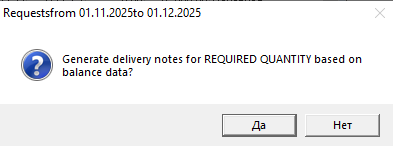
Then delivery notes will be created according to the set rules. Upon completion of creating the delivery notes, a window will be displayed indicating the number of created and activated delivery notes.
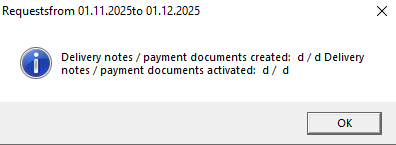
In cases where delivery notes cannot be created, a message appears: "Delivery notes/payment documents created: 0/0. Delivery notes/payment documents activated: 0/0"
Delivery notes created as a result of the "Create Delivery Notes for Request" operation are displayed in the lower part of the Request window. Delivery notes created for request number 1484 are highlighted in red.
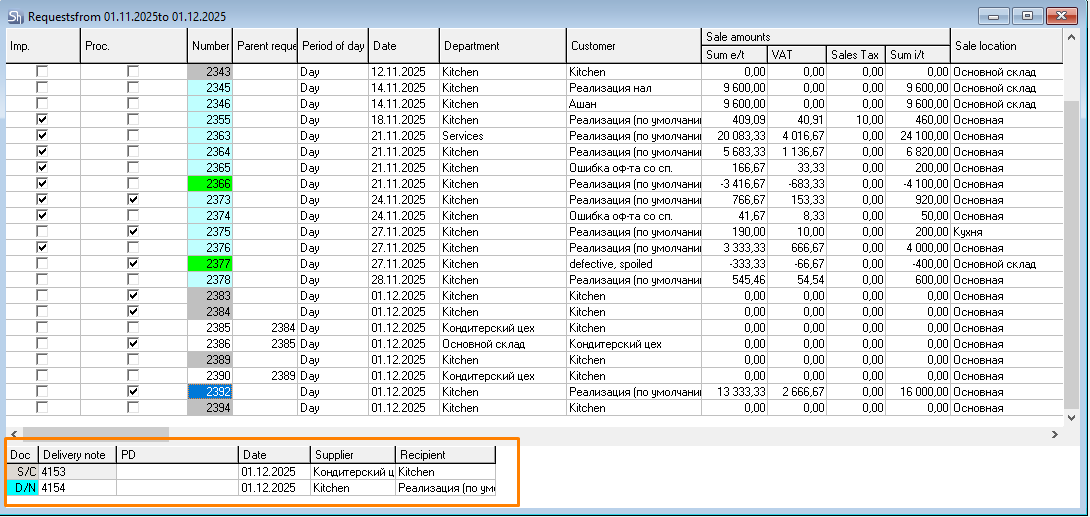
If the write-off occurred with errors, or the generated documents have the status "Inactive", it is necessary to cancel the write-off, correct the errors and repeat the procedure again.
After the write-off is performed, a flag will appear in the "Proc." field of the Request window.
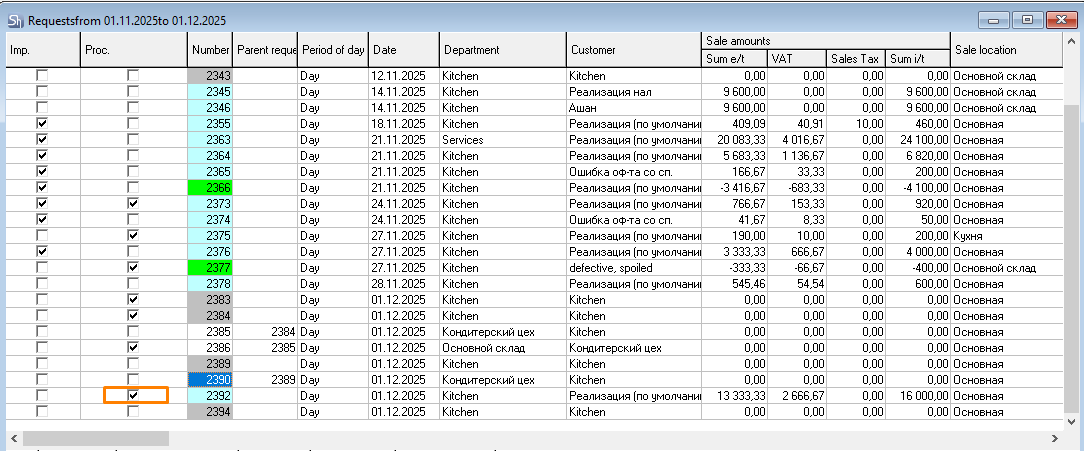
Setting the "Processed" flag in an open request on the "Title" tab after saving the request sets the flag in the "Proc." field in the Request window, but does not create the corresponding notes (assembly, delivery note).
If at least one of the necessary documents was not created when executing the "Create Delivery Notes for Request" command, check the availability of rights for actions with documents of certain departments.
