Recording current r_keeper sales into the cumulative r_keeper SQL database(s).
These configurations are performed by UCS company employees or regional company representatives.
Connection settings for importing directories and sales in QushMan.exe.
These configurations are performed by UCS company employees or regional company representatives.
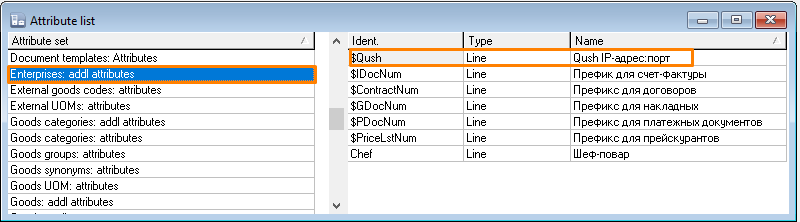
For the "Enterprises" directory, the connection parameters to QushSvc.exe must be filled in the "Qush IP-address:port" attribute for each enterprise.
The "Qush IP-address:port" attribute is created automatically when a new r_k StoreHouse Pro database is created starting from version 5.24.118. If the r_k StoreHouse Pro database was created by an earlier version of r_k StoreHouse Pro, the attribute must be added manually.