Standard Report Filter Fields
This section describes the standard report filter fields and their operating rules in reports.
Report generation period:
r_k StoreHouse Pro reports are generated either "for a period" or "as of a date". Depending on the report, the filter will have fields:
|
|

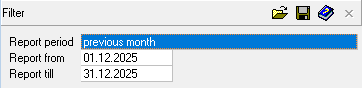
Report As Of — the report will provide information (quantity and cost) AS OF the date specified in the filter. If the field is left blank, the report will be generated for the current computer date, taking into account all already created active delivery notes at the time of report generation.
Report From... To... - the report will provide information (quantity and cost) for the period specified in the filter.
The fields can be filled in either from the keyboard or by using the calendar.
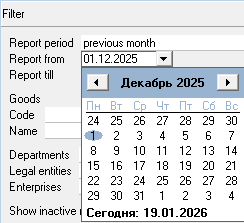
To define the reporting period, you can use the predefined list of periods. To do this, select a value in the "Report Period" field.
When using the "Report Period" field together with the "Report As Of" field, the start date of the selected period will be inserted.
To clear a filled date/period field, select the corresponding field and choose the Delete item from the context menu or press the [Delete] key on the keyboard.
Own Department Filters:
In all r_k StoreHouse Pro reports, you can filter by own: departments, enterprises, and legal entities.
This functionality is especially in demand when managing several restaurants in a single r_k StoreHouse Pro database.
Filter area:

Departments — click the mouse in this field, a button will appear at the right end of the field. Clicking this button opens a window where you can select the desired departments from the list by checking the box in the row with the required department.
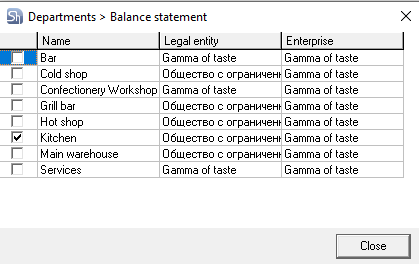

Legal Entities — if the report needs to be generated only for documents of specific own legal entities, select them from the list in the window that opens from this field, similar to selecting Departments in the previous field.
Enterprises — in this field, you can define the enterprises for whose departments the report will be generated.
To clear the selected values of this filter area, use the context menu item "Reset All". All fields in this area will be cleared.
Merge Data (may be absent if grouping the report by these parameters is not available) — in this field, you can set the method of data combination. Possible values: do not group, by departments, by legal entities, by enterprises.
Filters by goods parameters:
For reports detailing product names, filtering by product parameters is available. 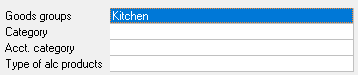
Goods Groups — in this field, you can select the desired group of goods from the goods group tree for report generation. If a group containing subgroups is selected, the report will be generated including the subgroups nested within the specified goods group.
Category — in this field, you can select product categories for which the report will be generated. The report will display goods for which the selected categories from the filter are specified in the properties.
Accounting Category — in this field, you can select accounting categories of goods for which the report will be generated. The report will display goods for which the selected accounting categories from the filter are specified in the properties.
Type of Alcoholic Products — in this field, you can select codes of types of alcoholic products for which the report will be generated. The report will display goods for which the selected codes of types of alcoholic products from the filter are specified in the properties.
When filtering reports by "Types of Alc. Products", values from the product card ONLY are used. If values were changed in delivery notes, this will not be taken into account when filtering reports.
Group By — in this field, you can set the method of grouping the report by product parameters. Possible values: do not group, by goods groups, by categories, by accounting categories, by types of alc. products.
Report currency:
In r_k StoreHouse Pro, documents can be maintained in different currencies. Accordingly, reports can be generated in different currencies. By default, reports are generated in the "base currency".
Filters by correspondents:
If reports are generated detailing correspondents, then in such reports you can set filters by correspondents or their additional parameters.
Correspondents — in this field, you can select one or several correspondents for which the report will be built.
Type 1 — in this field, you can select the type of correspondent from the dropdown list: sales, losses, internal counterparty or external counterparty.
The Alc. Declaration field is filled only if you selected the value external counterparty in the Type 1 field. The value can be selected from the dropdown list: not defined, alcohol producer, alcohol importer or alcohol supplier.
Type 2 — in this field, you can select the type of correspondent from the dropdown list: legal entity, individual or special correspondent.
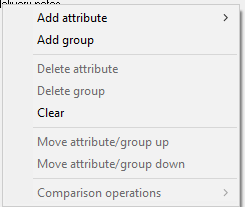
Correspondent Attributes — if additional attributes were created for correspondents and they were filled in on the correspondent cards, then these attributes can be added to the filters from the context menu item Methods of working with attributes in filters.