The report is a list of supplies of each product from all suppliers with purchase amounts.
Supplier Analysis - Filter
The filter for the Supplier Analysis report:
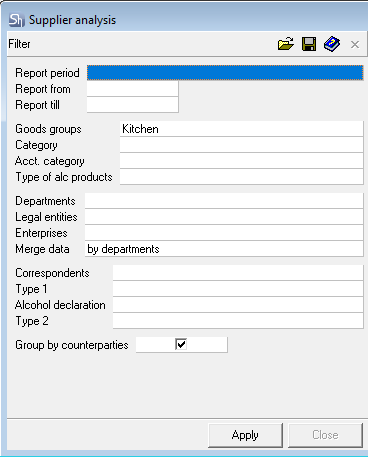
The filter parameters "Report from ... to...", "Departments", "Legal Entities", "Enterprises", "Product Groups", "Category", "Acct. Category", "Type of Alcoholic Products", "Correspondents", "Report Currency" are filled in using standard methods.
Additional filter fields:
Group by Counterparties – check this box if you want the data in the report to be grouped by counterparties.
After filling out the filter, to generate the report, click the [Apply] button.
Supplier Analysis - Content
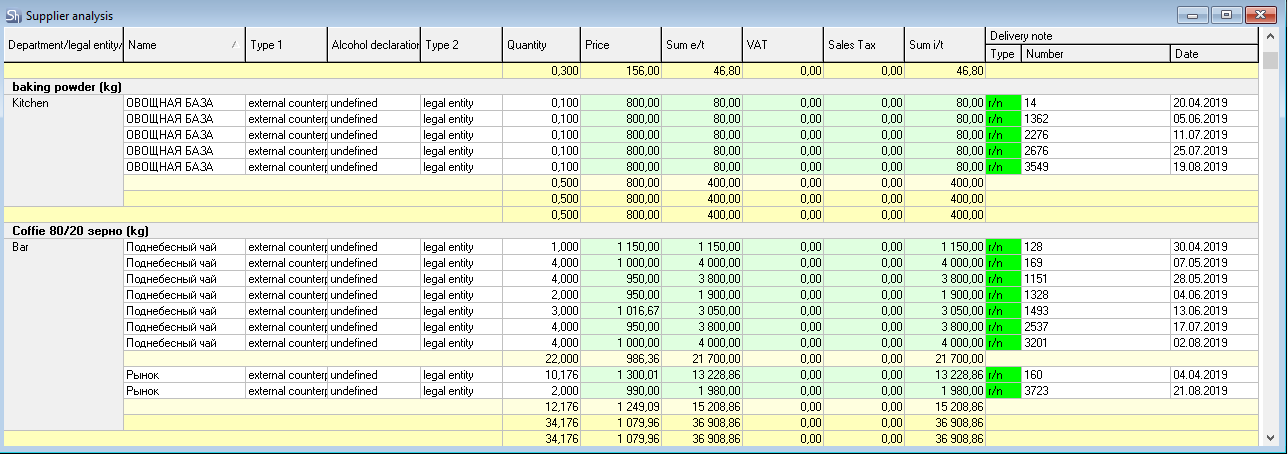
The Supplier Analysis report without grouping:
The Supplier Analysis report grouped By Counterparties:
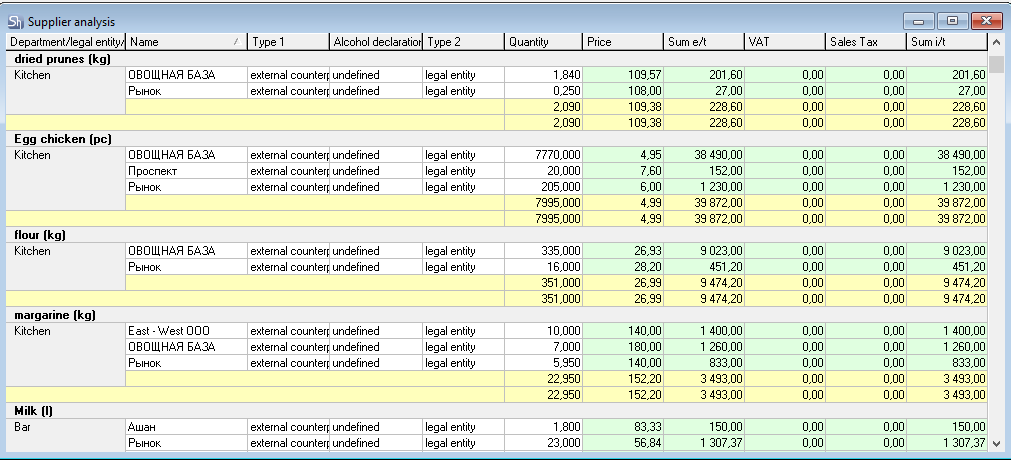
Name – this field displays the name of the supplier of the aforementioned goods item.
Type 1 – contains the name of the correspondent type selected in the report filter.
Alcohol Declaration – this field displays the correspondent property specified in the Correspondents dictionary.
Type 2 – contains the name of the correspondent type selected in the report filter. If no value is selected in the filter, the field will be filled in depending on the type of correspondent specified in the Name field.
Quantity – the quantity of goods in the supply, if the table is not grouped by counterparties. Total quantity – if the table is grouped by counterparties.
Sum e/t – the amount of received goods excluding taxes.
VAT – value-added tax or the total amount of value-added tax for this supplier.
Sales Tax – sales tax or the total amount of sales tax for this supplier.
Sum i/t – the amount of received goods including taxes.
The Delivery Note part of the table is displayed if the table is not grouped by correspondent and contains the columns:
Type – type of supply delivery note;
Number – delivery note number, supply;
Date – supply delivery note date.