User Permissions (FoodFactory)
In the "User Properties" on the Rights tab, permissions for specific users to perform actions and access objects in the system applications are defined. Permissions are divided into many groups and subgroups, presented as a rights tree.
Each permission includes a set of allowed actions: Reading, Modifying, Creating, Editing, Deleting, for which user access can be restricted.
Many permissions are interconnected, and setting one permission leads to the definition of related permissions (references). Also, removing some permissions leads to the removal of related permissions.
For a user to be able to log in to the FoodFactory application, the flag must be set in the Reading (proc ShParams) permission line of the User Parameters subgroup of the Publicly available secure procedures group. Otherwise, even with all other permissions, the user will be unable to log in to the application.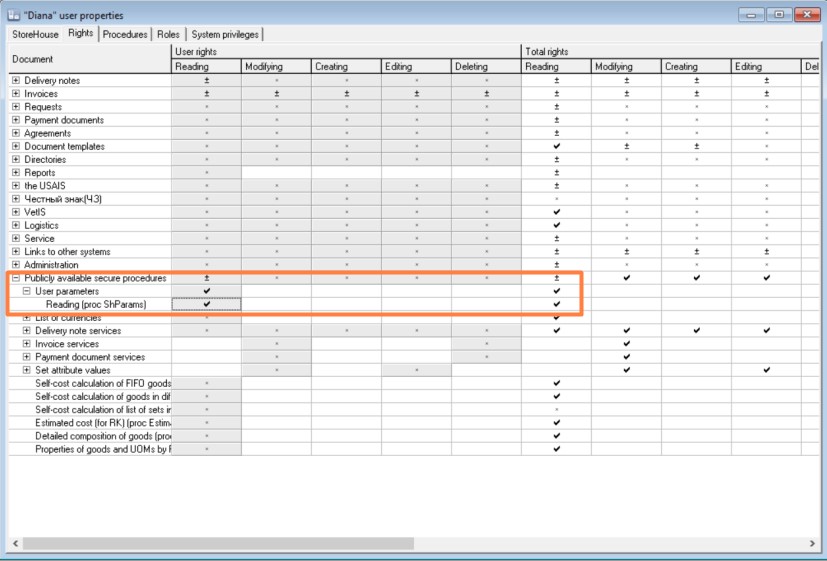
To work with documents in the FoodFactory application, the user must be granted permissions for actions with documents in the Delivery notes and Requests groups. 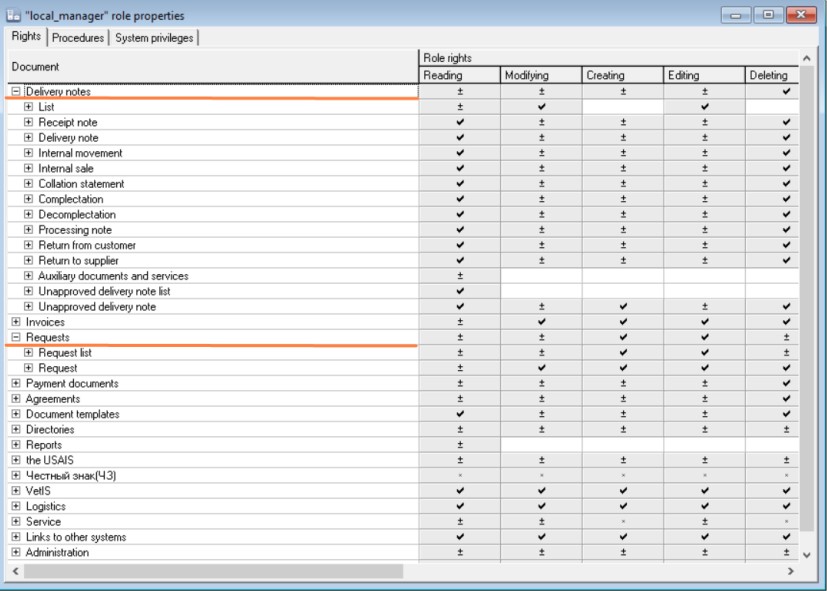
Reading — The flag in this field gives the user the right to view the document in whose permission group the flag was set.
For example, in the document list in the Delivery notes group, Receipt Note is selected. To give the user the right to see all receipt delivery notes in FoodFactory, check the flag in the Reading field. 
If the Reading flag is absent, the user will see the delivery note buttons, but they will be unavailable. The figure below shows what the main FoodFactory menu looks like for a user who lacks the Reading permission for receipt and expenditure delivery notes. 
Modifying — The flag in this field gives the user the right to perform any actions with the document in whose permission group the flag was set. It is set together with the permission specified in the same row. 
Creating — The flag in this field gives the user the right to create the document in whose permission group the flag was set. If the Creating flag is absent, the user will see the document creation button, but it will be unavailable.
On the left is the appearance of an available delivery note creation button, on the right — an unavailable button:

Editing — The flag in this field gives the user the right to edit the document in whose permission group the flag was set. If the Editing flag is absent, the user will see the document editing button, but it will be unavailable.
On the left is the appearance of an available delivery note editing button, on the right — an unavailable button:
Deleting — The flag in this field gives the user the right to delete the document in whose permission group the flag was set. If the Deleting flag is absent, the user will see the document deletion button, but it will be unavailable.
On the left is the appearance of an available document deletion button, on the right — an unavailable button:
The Total Rights table area displays the total number of user permissions:
- Permissions granted to the user by assigning a role/roles;
- Personal user permissions from the Reading, Modifying, Creating, Editing, Deleting columns.
In the Links to other systems group, in the Invoices notes (DN notes) subgroup, you can define user permissions for creating and reading notes, which can be used to view the history of performed actions with a FoodFactory delivery note after its transfer to r_k StoreHouse Pro. 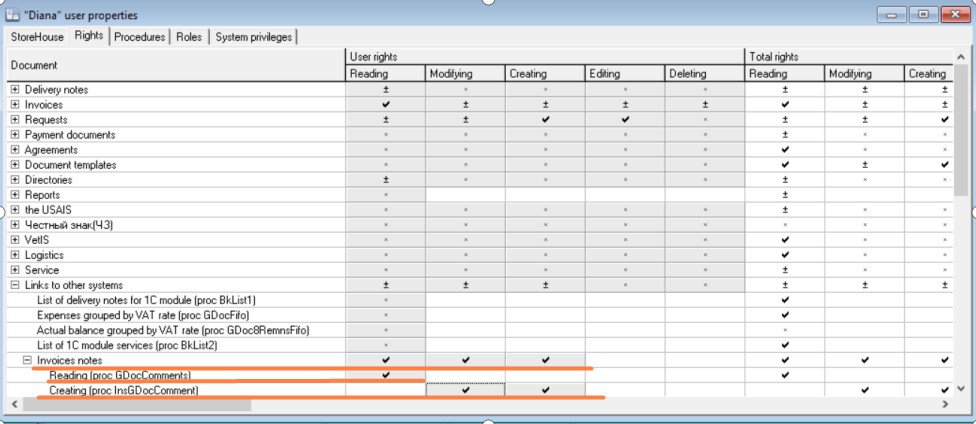
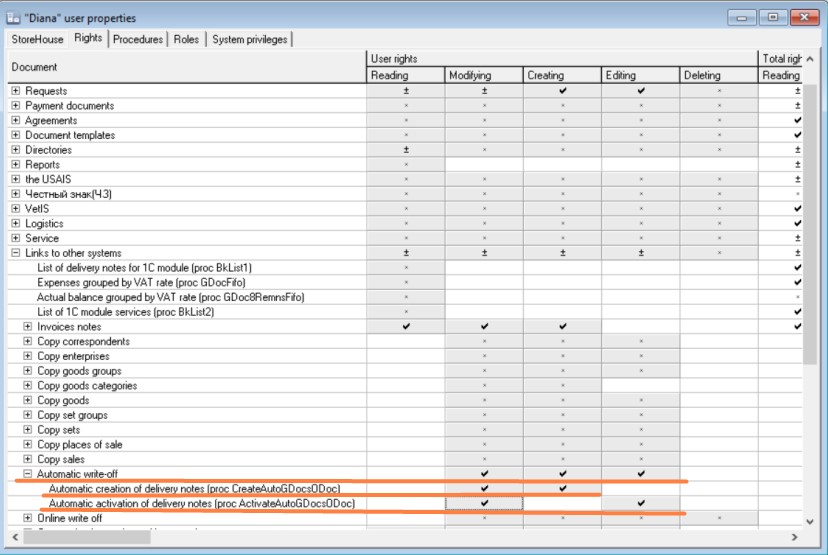
Also, in the Links to other systems group, in the Automatic Write-off subgroup, you can define user permissions for automatic creation and activation of delivery notes for requests during data transfer to r_k StoreHouse Pro. The flags for creating and activating delivery notes for requests must be set in the document settings.

If a user's permissions were overridden during work, they need to log out of the application and log back in to update the information.