r_k Waiter 5 Android and iOS 4.10.121
| 01.06.26 | 4.10.121 – Android 4.10.121 – iOS | 7.7.0.390 and higher (for standard license) |
We present release 4.10.121 dated 01.06.2026.
New Features
Standard functionality for all license types
- Added the ability to refresh the order list in Table Layout mode. The list can now be updated using the "Pull to Refresh" gesture.

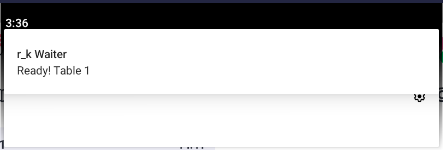
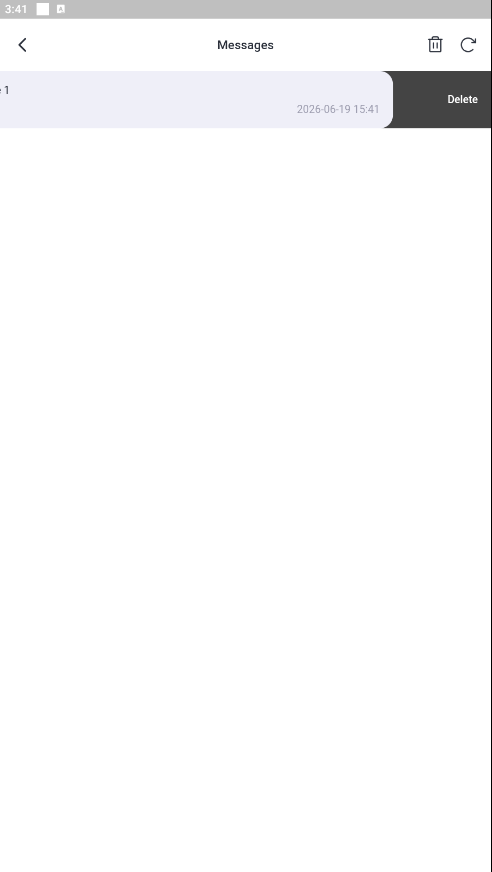
- Changed notification handling. Now, a message requires a tap to read, and a "swipe left" to delete. A "Trash" button is provided for deleting all messages.
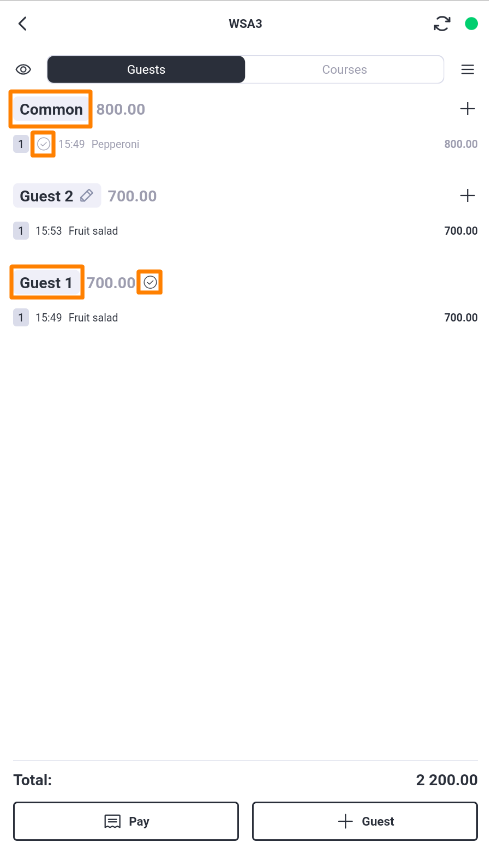
- Added visualization of full/partial payment for Common Dishes. Now, if an order contains common menu items and multiple guests, after one guest pays, the common items become inactive and are marked with a "Paid" icon. Such items cannot be deleted or moved.
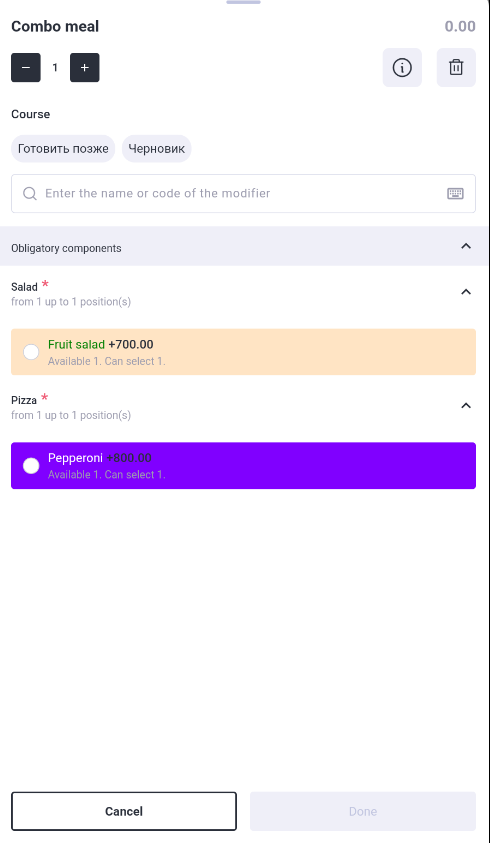
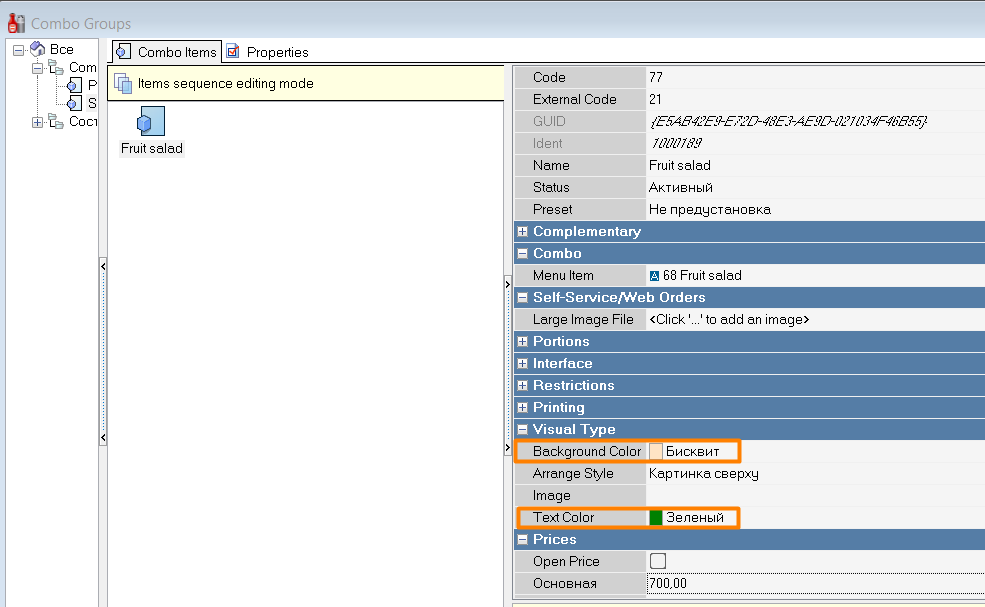
- Support for background and text colors for combo components. Now, in the dish editing mode (drawer), a combo component is displayed with the background and text colors specified in the combo component settings in the Combo Groups directory.


Extended functionality (for extended license v.2.ext)
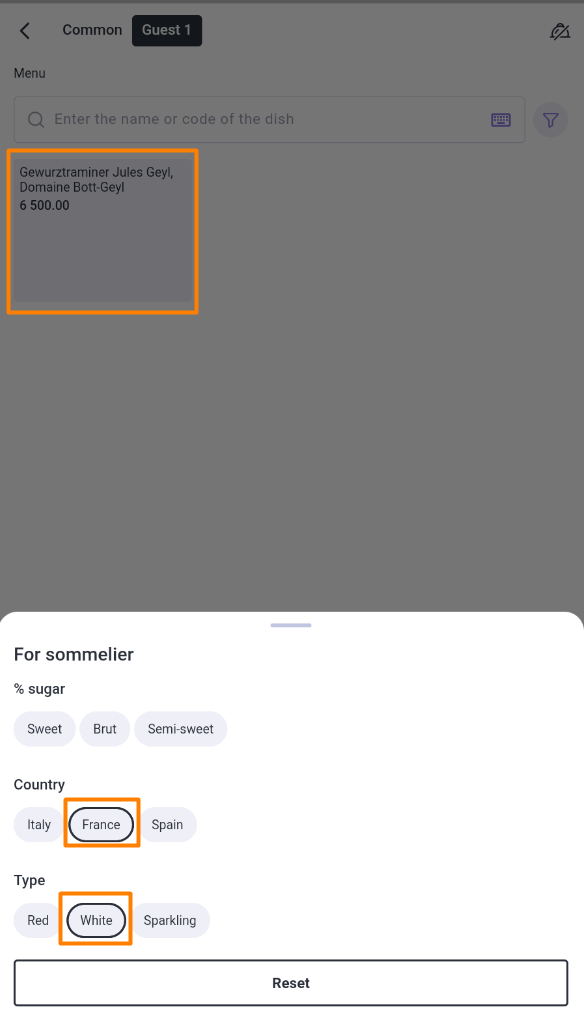
- Implemented search for menu items by extended properties. This option can assist, for example, wine cellars that need to obtain a list of wines based on specified parameters (color, sugar percentage, region, etc.), or to organize any other search based on given conditions. The search is performed by extended properties, not by name or code. The result is a list of menu items that satisfy multiple specified conditions.
This option requires additional settings in the r_k manager module:
1. In the "Enumerated properties" directory, create all properties for the search and add enumerated type values for each. Important: for each value, in the "Basic" section, specify any number that must be unique.
2. In the "Extended properties" directory, create the corresponding extended properties and add all necessary extended property types to them. For each type: set a system name with the prefix "MW_", select the property type "Value list", and in the "Enumerated type" field, select the corresponding previously created Enumerated property.
3. On the menu item card, in the "Extended properties" section, select the desired value for each created property.
4. Restart the r_k manager module.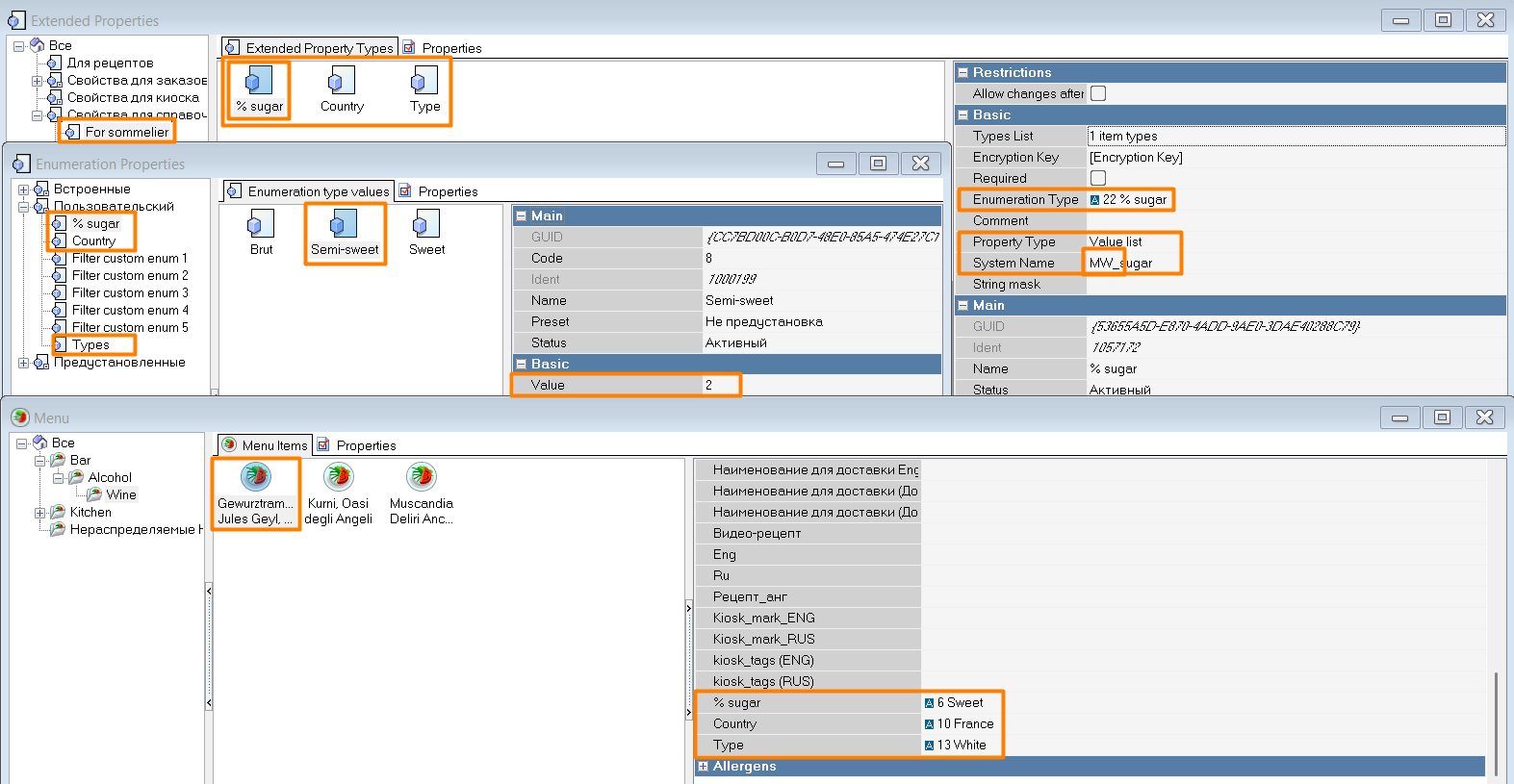
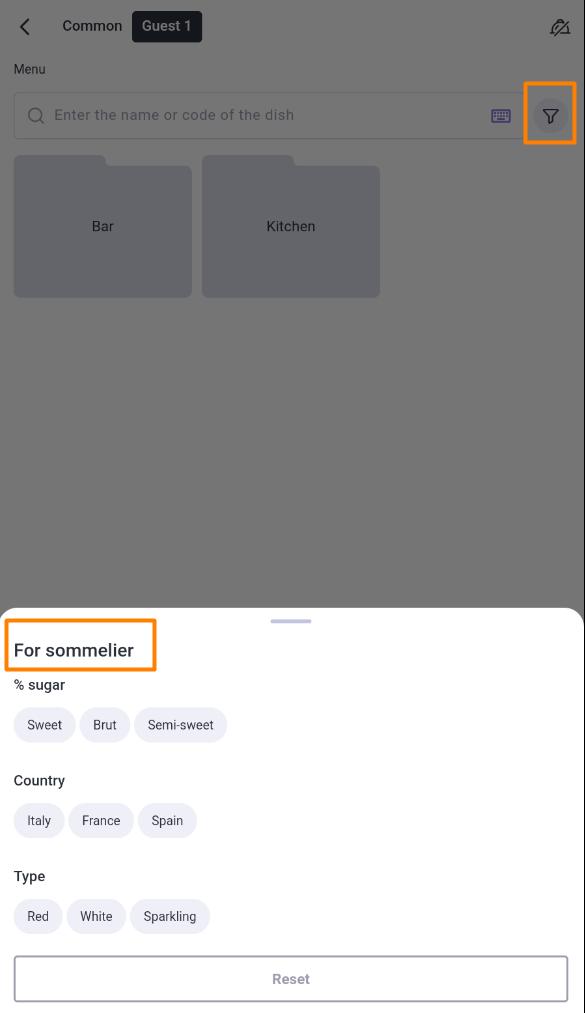
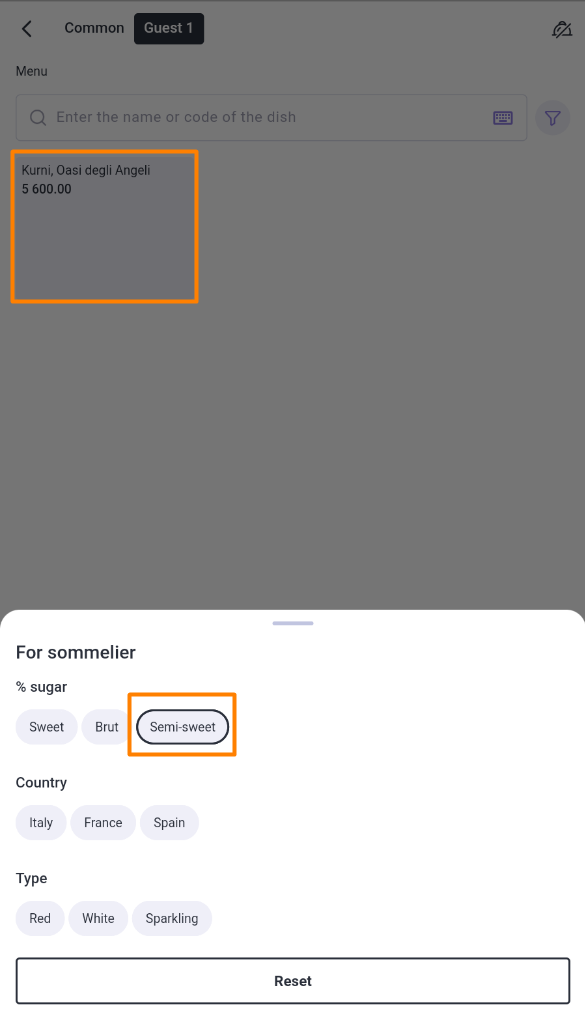
A "Filter" button will appear in the application's Menu mode. When pressed, a drawer will open with the name of the Extended property and a list of its types and their values. For convenience, reactive search is implemented: selecting/deselecting a property immediately changes the list of found menu items. After the drawer is dismissed, menu items from the found list can be selected in the standard manner. To return to the standard menu, press the "Reset" button in the search drawer. The most recent filter state before pressing the "Reset" button is saved and can be restored using the "Previous selection" button in the filter .
. 


Fixes
- Fixed calculation of change during payment. Now, when the Intent to Pay receipt is disabled or an exception that disables it is used, a larger payment amount than the order total can be entered. The change will then be calculated correctly in the calculation log.
- Fixed handling of stamped products. Now, when operating via GTIN, stamped menu items or combo components that are stamped menu items are correctly added to the order.