...
- In the r_keeper manager station, in the section Options > Customization > Extended Properties, create a new extended property.
- Set the name and network name to ShowIfInStopList, property type to Boolean Value, list of types: Menu Item and Combo Menu Item, and activate them.
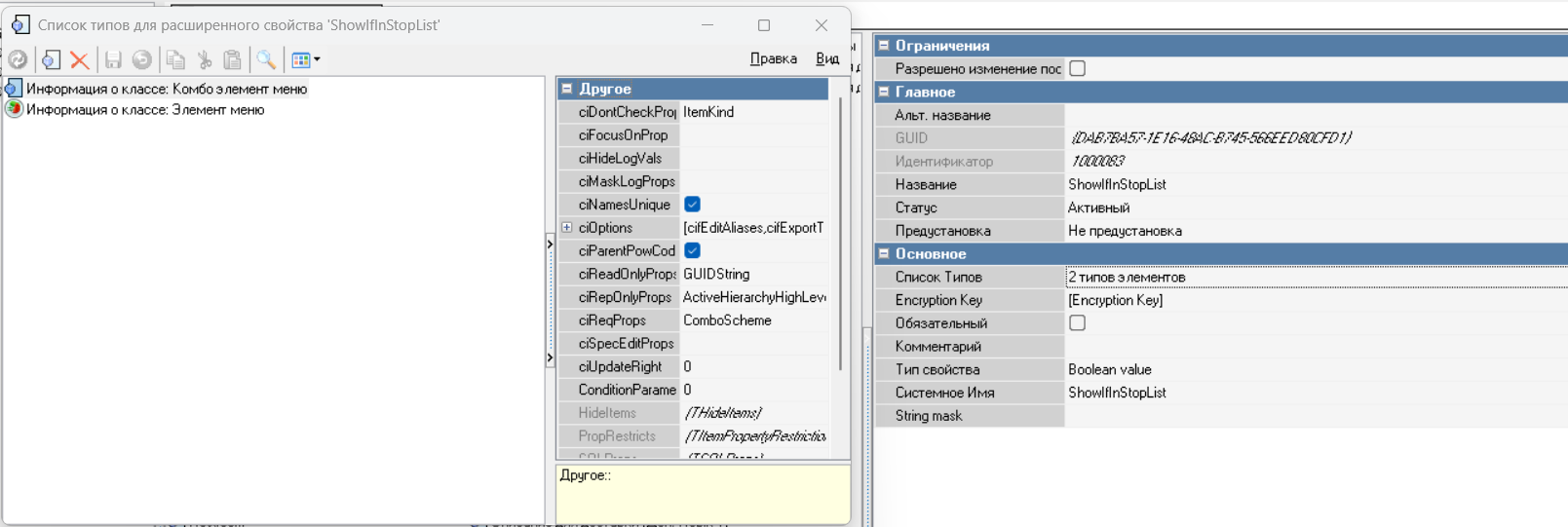
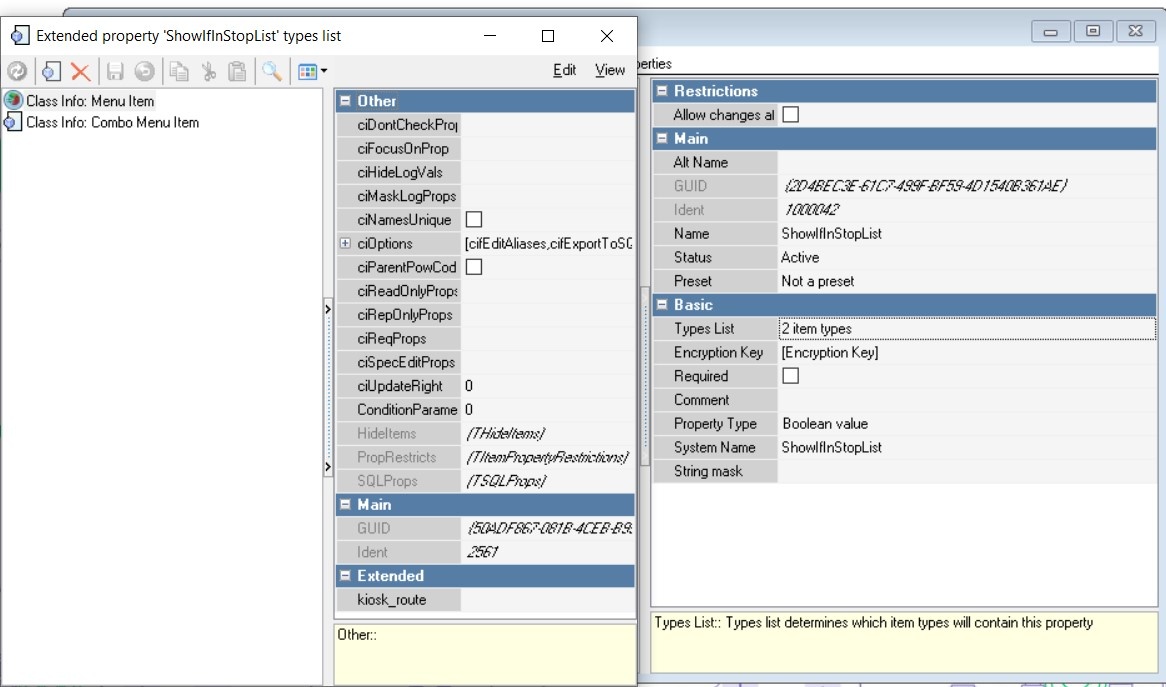
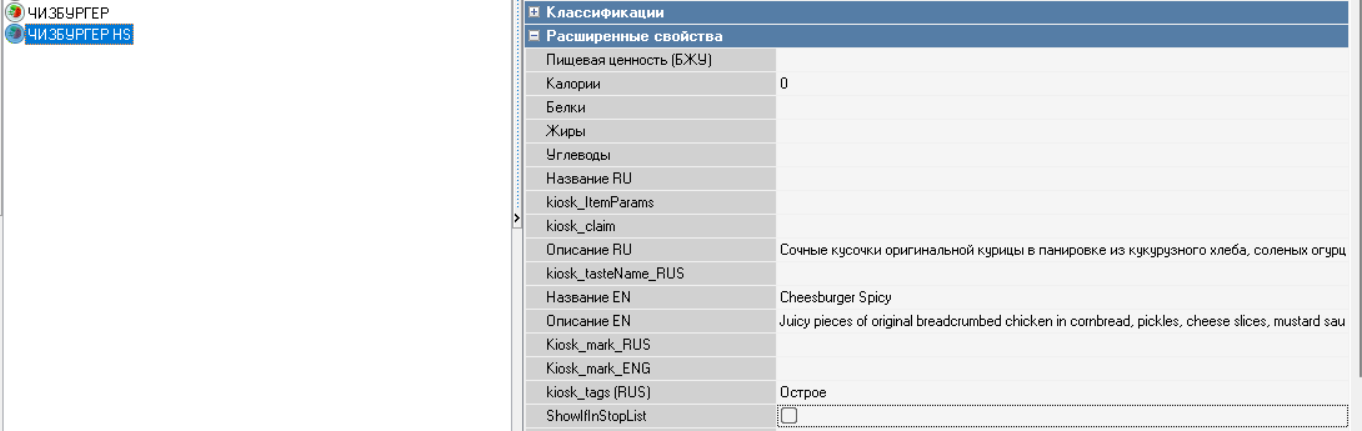
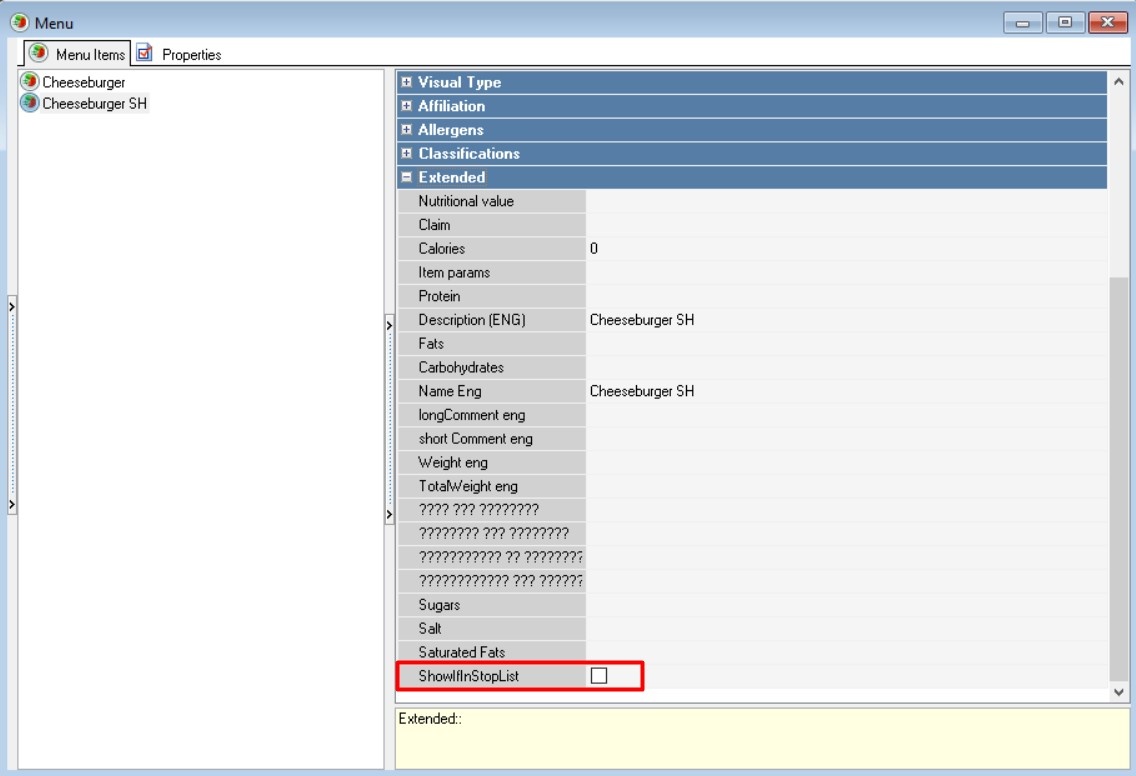
- A new extended property will appear in the properties of items/combo items:

- On the kiosk, in the "THEME SETTINGS" section, the following setting has been added:
Show dishes form the stop list on the menu
- When this setting is enabled, an additional setting appears: Show dishes from the stop list only if the extended property ShowIfInStopList is set

...
| Info |
|---|
Items for which the ShowIfInStopList extended property is not filled in will not be displayed. |

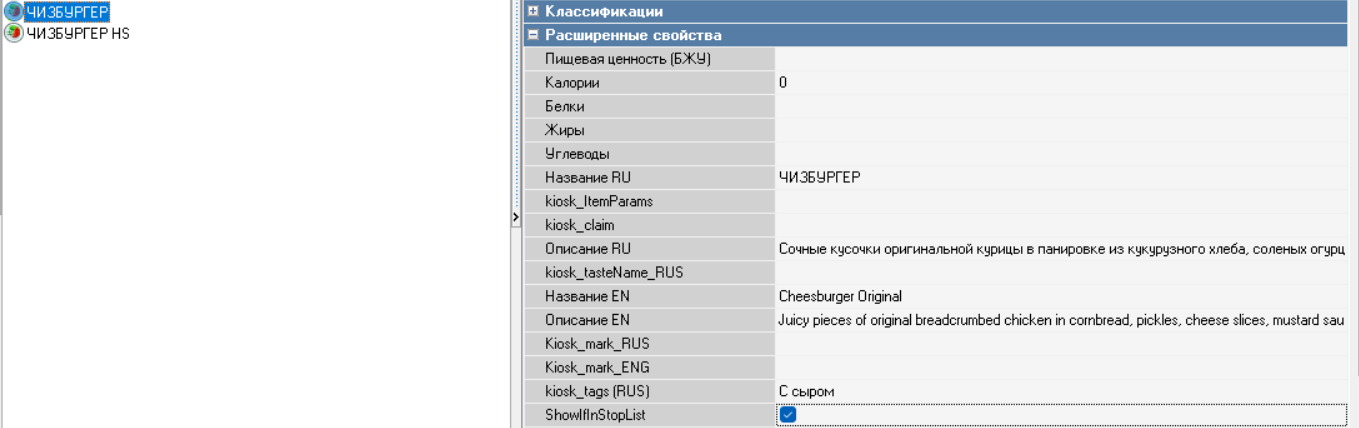
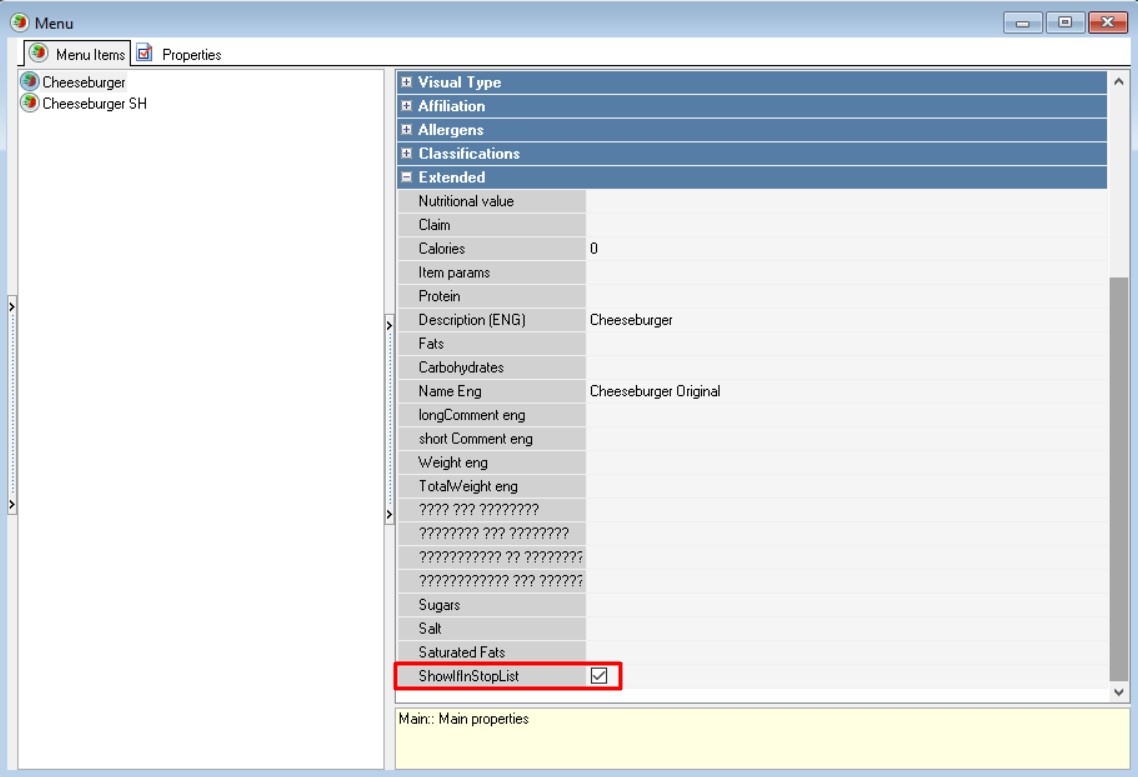
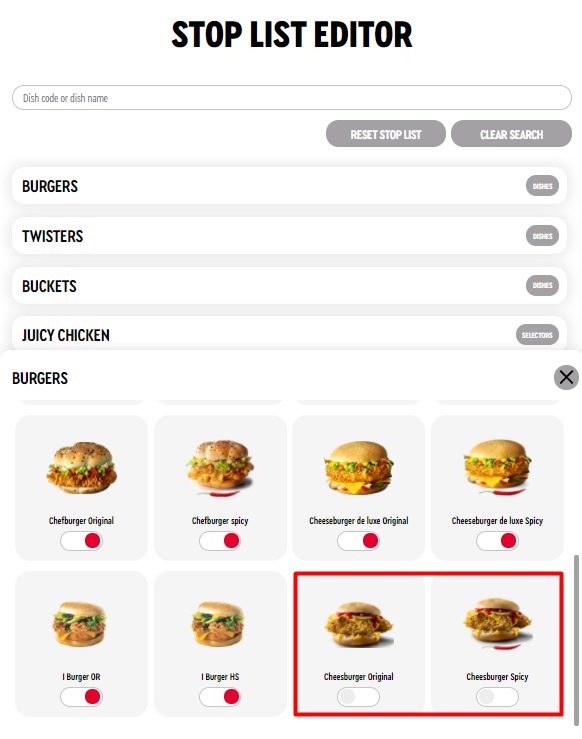
With these settings, only the CHEESEBURGER will be displayed in the kiosk menu, because its ShowIfInStopList extended property is filled in:
...