Introduction
The voids (reasons for deletion) are used as a comment when deleting different elements from the cash register, for example, saved and unsaved menu items, cancellation of payments, etc. And also for analysis in the reporting system.
The Order > Order Voids directory stores preset deletion reasons. New ones can be created if necessary.
If several reasons match the conditions at the time of deleting an item, the cash register will provide a choice of them. If there is only one reason for deleting, it is selected automatically.
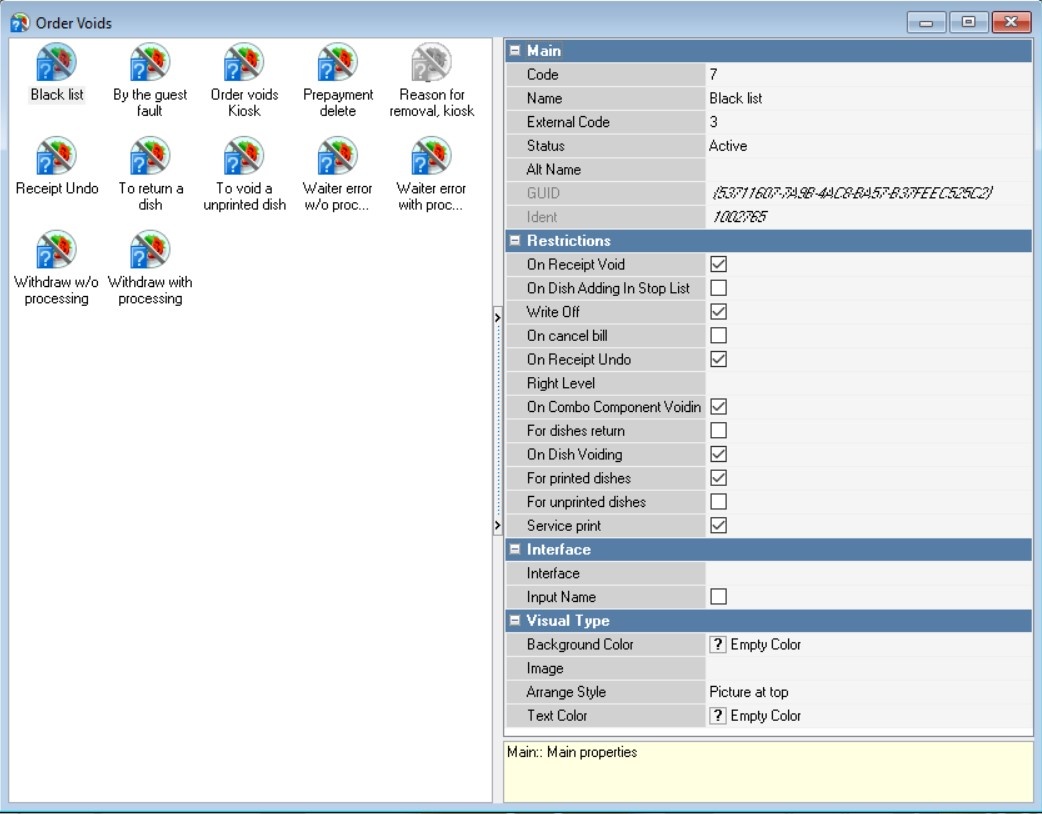
Void Properties
The voids have the following properties:
Main Section
- Code – a unique code of the directory element in the system. It is assigned automatically, but can be changed manually;
- Name – the name of the directory element;
- Alt. Name – the name of the element in an alternative language;
- Status – the status of the directory element;
Restrictions Section
- On Receipt Void — the reason is displayed when deleting a receipt. Each menu item on the receipt is assigned this reason.
- Write Off — dishes removed for this reason will be transferred for write-off in r_keeper StoreHouse. For example, this applies when a waiter adds an incorrect dish to an order, and by the time of removal, it has already been prepared, meaning it's necessary to deduct its ingredients from the warehouse.
- On cancel bill — the reason is displayed when a guest bill is cancelled. The Guest Bill Cancellations OLAP report displays the reasons for cancelling guest bills.
- On Dish Adding In Stop List — records the addition of a menu item to the stop list. The cash report "Prohibited dishes" will display a line with the prohibited dish and the reason for deletion. In the IR Dishes in the stop list report, the reason for deletion will be displayed in a separate column.
- On Receipt Undo — the reason is displayed when the receipt is cancelled.
- On Combo Component Voiding — the reason is displayed when deleting combo components.
- For dishes return — the reason is displayed when returning menu items.
- On Dish Voiding — the reason is displayed when deleting a saved menu item.
- For printed dishes — the reason is displayed when deleting a saved menu item.
- For unprinted dishes — the reason is displayed when deleting an unsaved menu item.
- Right Level — the right to work with the element at the cash register.
- Service print (K.O.T. print) — if K.O.T. print is needed when deleting an item with this reason.
Interface Section
- Interface — selecting an interface for working with other programs
- Input Name — If the checkbox is checked, the name of the reason for deletion can be specified at the cash register.
Visual Type Section
- Background color — the background color of the button. You can select a color from the list or from the palette, which is called by double-clicking the left mouse button in the property value area;
- Arrange Style — the relative position of the image and text;
- Image — selecting an image for the object;
- Text color — the color of the text. You can select a color from the list or from the palette, which is called by double-clicking the left mouse button in the property value area.
Creating reasons for deletion
To add a new deletion reason:
- Go to the menu Order > Order Voids
- Select the New Void operation from the context menu
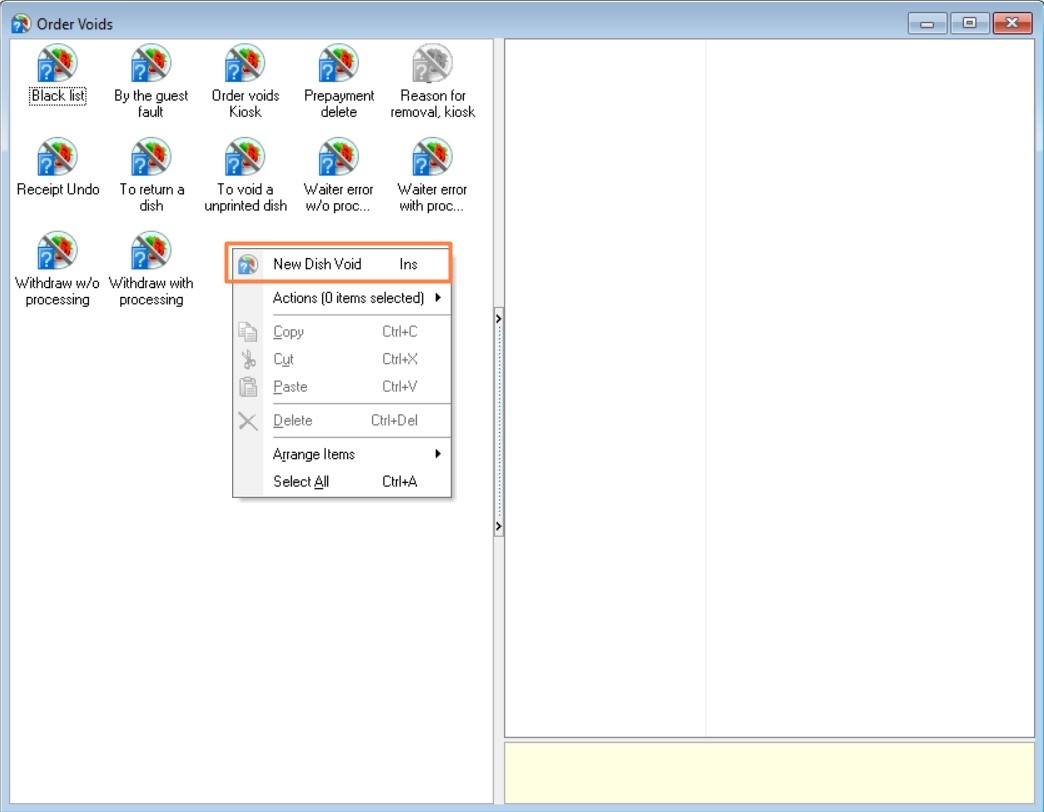
- Fill in the main properties:
- Name
- Status — active
- Adjust restrictions as needed.
- Save the changes.