As of version 2.0.11, a Arbitrary Code can be displayed on the screen. This scene allows you to display a QR code on the r_k GS screen that will lead the guest to additional information: charitable campaigns, recommendations, a link to download the restaurant's app, etc.
Add the scene in the standard way:
- Select the Arbitrary Code scene type.
- In the Text for QR code generation line, enter the link for which the QR code will be generated.
- By default, the code will be stretched to full screen. If you need to set custom dimensions and alignment, click No in the Stretch field. The following fields will then become active:
- Width – code width in pixels.
- Height – code height in pixels.
- Alignment – allows you to place the code on the page left, center, or right.
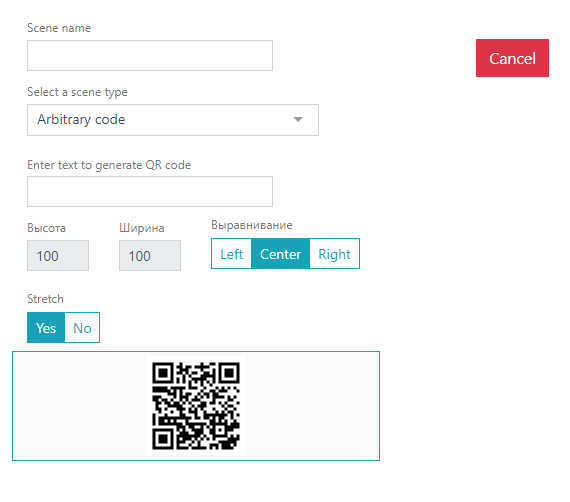
After adding this scene to a Scenario, the QR code will be displayed on the GS screen.