To configure the screen:
- Go to the Settings of r_k GuestScreen.
- Go to the Screens
- Specify the Screen name that will be displayed in the upper left corner of the window.
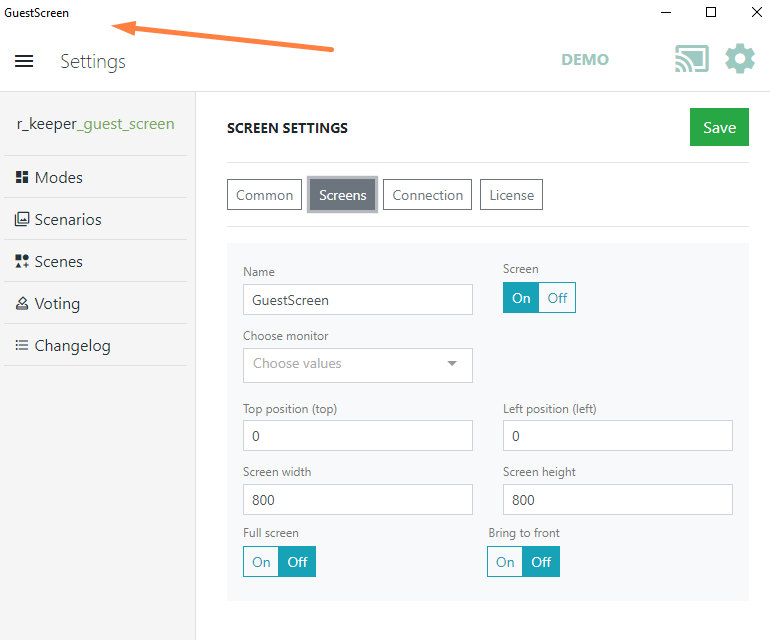
- Enable the screen using the toggle switch

- In the Select monitor field, select the monitor where the guest screen will be displayed.
- If necessary, configure the screen width and height.
- Configure the position on the screen, the location of the upper-left and upper-right corners of the GuestScreen window on the monitor screen in pixels. The zero point is taken as the point located in the upper left corner.
- Specify Full screen and Always on top settings
- Save the changes.