Inactive delivery notes in the SH5 delivery notes list are highlighted in blue font.

To make a document active, you need to open the r_k SH Pro delivery note in editing mode using the  button and check the box in the "Activate" field.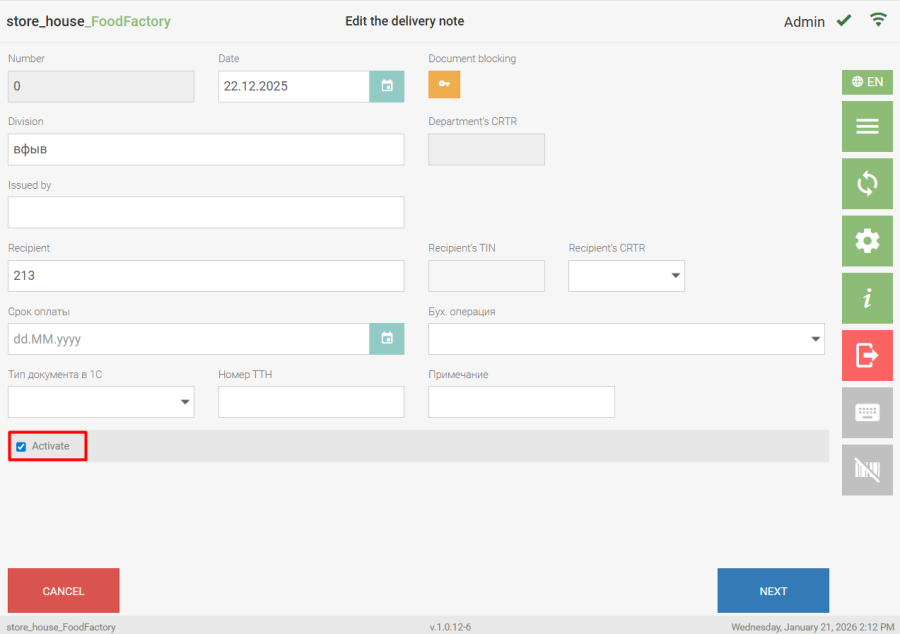
A user can activate a document only if they have access to the department groups. If this right is absent, the "Activate" field will be unavailable for editing. |
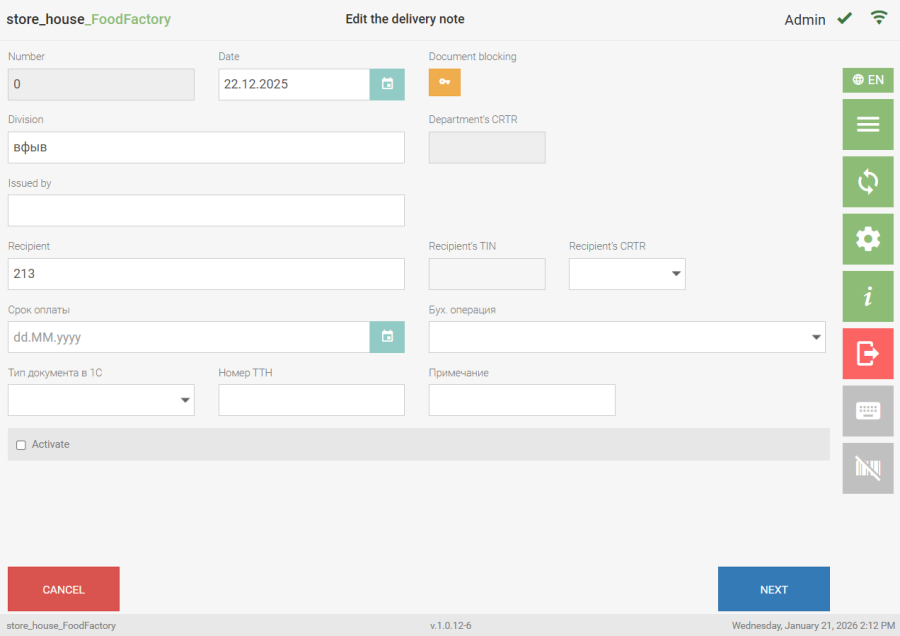
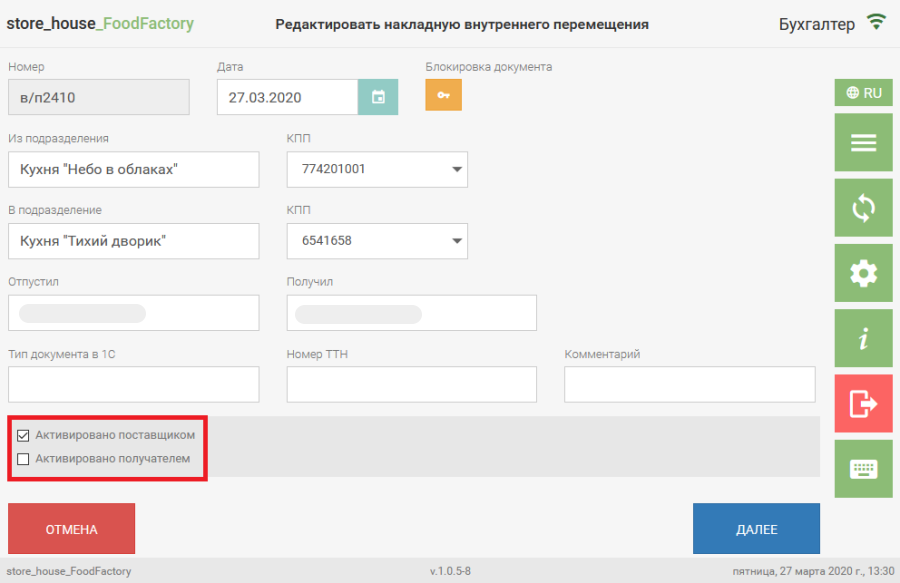
If a user has limited rights to work with certain departments, then for internal transfers, set assemblies, and processing notes, activation must be performed by two users:
- The first user has rights to the department group acting as the "supplier" of goods and can check the "Activated by Supplier" flag if it was not checked before.
After saving, the delivery note view shows that it is activated only by the supplier.
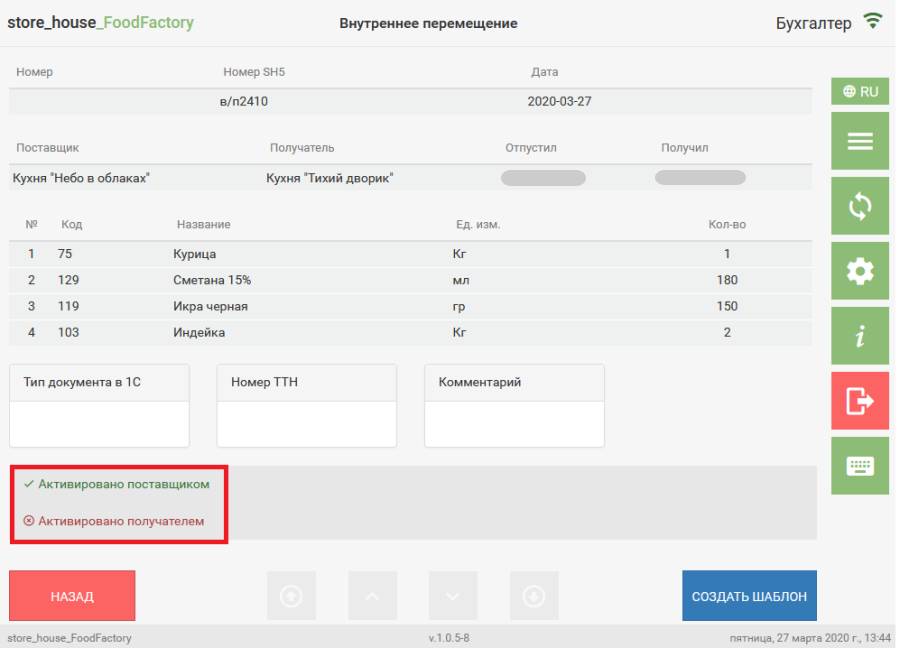
- The second user has rights to the department group acting as the "recipient" of goods and can check the "Activated by Recipient" flag while editing the delivery note.
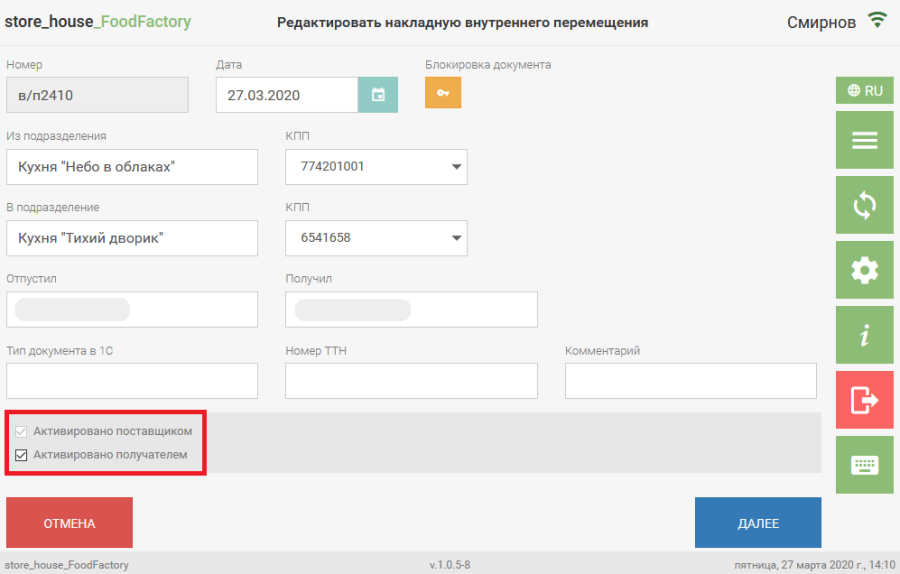
After saving, the delivery note view shows that it is activated by both the supplier and the recipient.
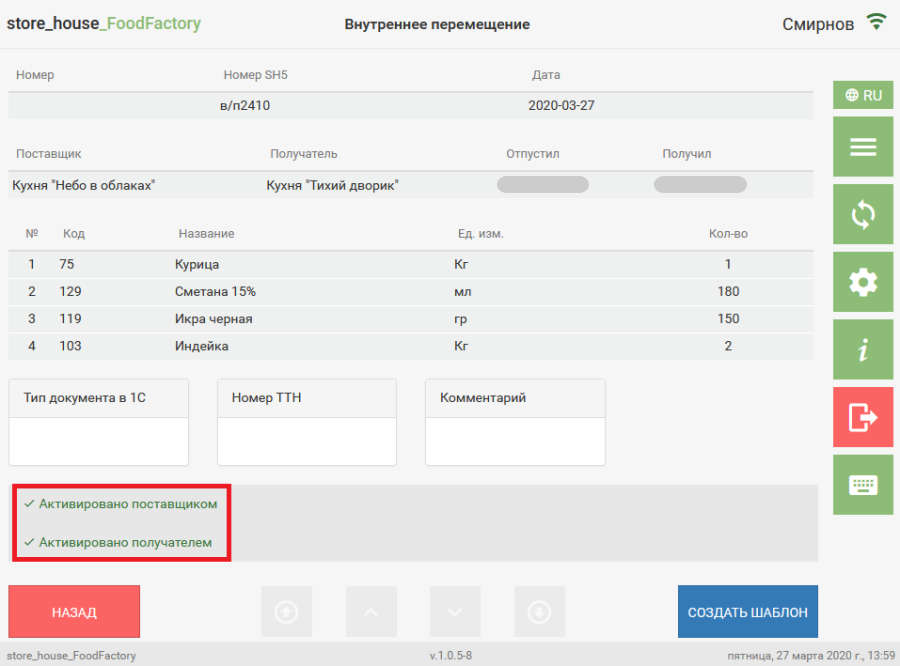
In editing mode, a user can activate any delivery notes created by other users, provided they have rights for the necessary department groups and delivery note data types.
Only delivery notes with the current document status: Inactive can be activated (see details in the r_k StoreHouse Pro User Guide). Only a user who has rights for all department groups used in the edited delivery note can clear the activation flags. |