To add a new planning rule:
Open the list of plan titles - "Service" — "Logistics" — "Plans";
In the list of titles, select the context menu item "Create Plan";
In the opened window, specify the rules for the plans;
Save (main menu item "Document" — "Save Document" or the button  on the toolbar).
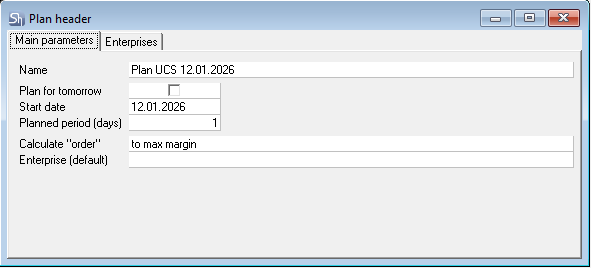
Tab "Main Parameters"
Name – the name of the plan title, which will be used when forming the production plan and procurement plan.
Plan for Tomorrow – if this flag is set, the rules will always work for one date "tomorrow", which allows not creating titles for each day when planning procurement one day in advance.
Start Date – the start date for the production and procurement plan rules.
28 days "back" from this date will be used to select already produced sales for calculating theoretical future sales;
Forward from this date, manual requests with the "Plan" flag will be selected.
Planning Period (days) – the number of days in advance for which the production plan and procurement plan will be calculated.
Example of parameter operation:
Start Date: 01.03.2021 and Planning Period (days) — 7 days
The production and procurement plan will be formed for 7 days in advance – from 01.03.2021 to 07.03.2021
Theoretical future sales (from 01.03.2021 to 07.03.2021) will be calculated based on imported requests taken for the period from 01.02.2021 to 07.02.2021 (01.03.2021 minus 28 days back).
Requests with the "Plan" flag will be taken for the period from 01.03.2021 to 07.01.2021. This is if future requests with the "Plan" flag are being formed for preliminary department orders.
Calculate "To Order" — determines the rule for forming the quantity for ordering goods. So that after all daily movement, the goods balance equals:
Enterprise (default) – which enterprise to use for determining set version exceptions when calculating the procurement plan based on the production plan.
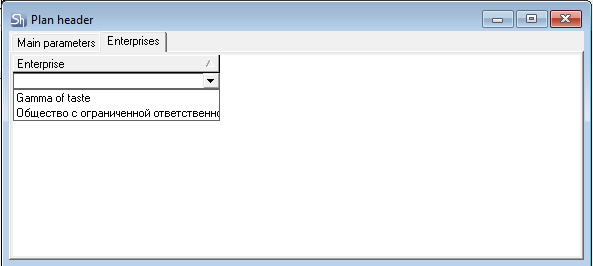
Tab "Enterprises"
Select the enterprise from the list for which the created planning rules will apply.
Since at the time of this user manual release, a plan title can only be created for one enterprise, the same enterprise must be selected on both the "Main Parameters" tab and the "Enterprises" tab.