On the "License" tab, information about the number of licenses, their expiration date, and the date and time of the last license check are displayed. Using the dealer login and password, you can install or renew a license.
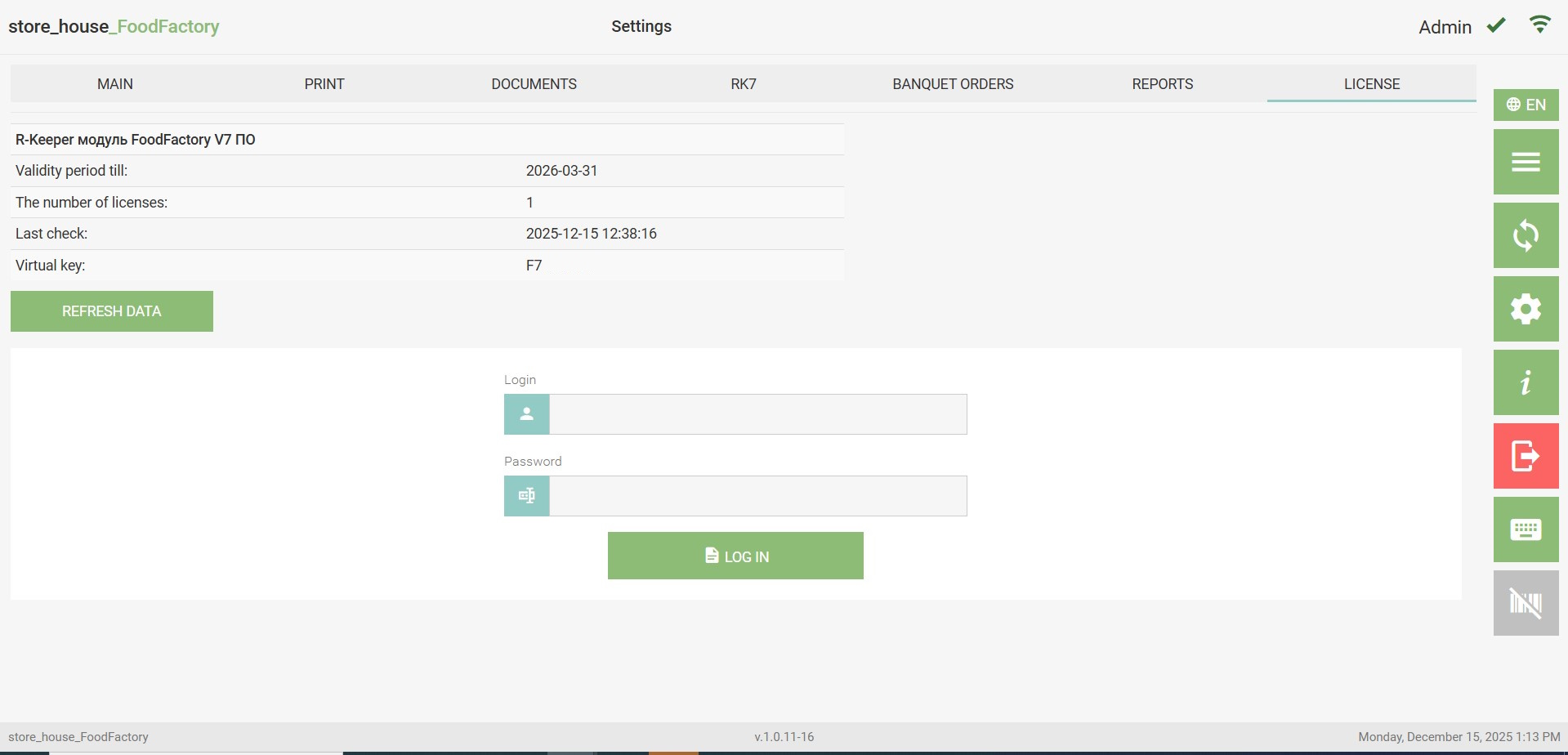
The name of the obtained license is displayed at the top of the window.
The Expiration Date: field displays the license expiration date.
The Number of Licenses: field displays the number of active licenses.
The Last Check: field displays the date of the last online license check.
The Virtual Key: field displays the virtual key number of the license.
Clicking the "Update" button establishes a connection with the licensing server for an online license check. As a result of the update, the date of the performed check will be displayed in the "Last Check:" field.
In the Login and Password fields, enter the dealer's login and password and click the "Login" button, after which the ability to select a license will open.
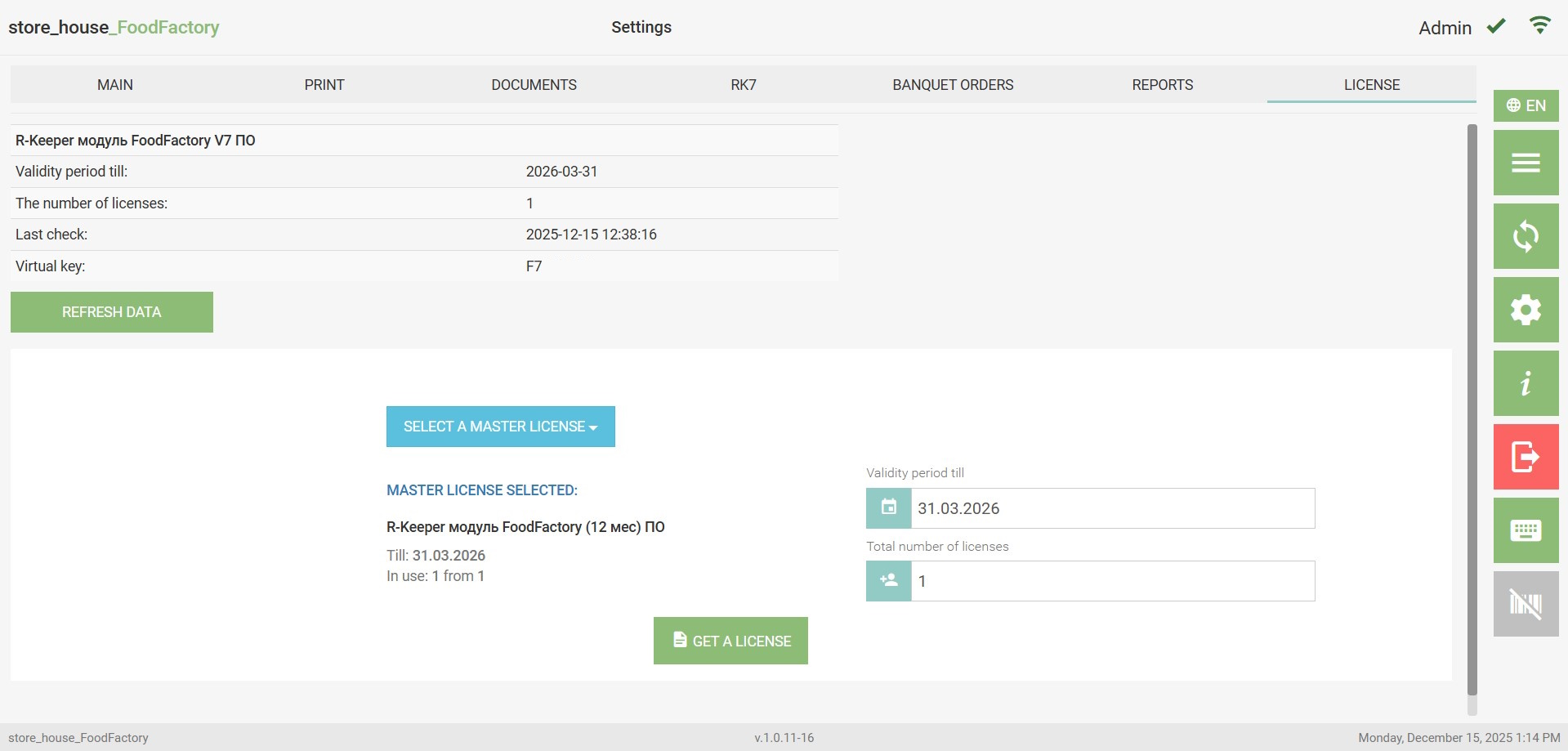 To obtain a license, you must:
- click the "Select Master License" button and select a license;
- the maximum date will be set in the "Expiration Date:" field; if necessary, the date can be changed to an earlier one;
- enter the required number of licenses from those available in the "Number of Licenses" The value "1" is set by default;
- click the "Get License"