Modifiers in Imported Requests

A modifier is a change to the main dish with which the modifier was sold. For r_keeper StoreHouse Pro—it is a change to the main set.
The "Modifiers" area is filled for each product selected in the "Goods" area. I.e., by moving the cursor through the list of goods, the list of modifiers sold with the product where the cursor is positioned will be displayed in the lower part.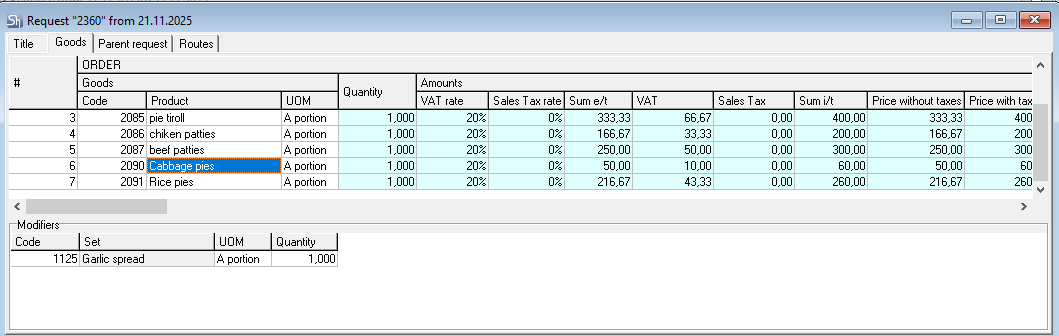
The import of modifiers into requests (to upload/not to upload; quantity; prices) is influenced by settings in R-Keeper.
Only those modifiers for which the "Weight" field in the r_keeper management section has a value greater than 0 (zero) will be uploaded to r_keeper StoreHouse Pro.
When writing off ingredients from the modifier set, substitutable goods are NOT USED.
If modifiers have a price in r_keeper and the price of modifiers was accounted for in sales, then when importing consumption into r_keeper StoreHouse Pro, the amount of sold modifiers will be attributed to the sales amount of the menu items (dishes) with which these modifiers were sold.
The rule for importing modifier quantities depends on many r_keeper settings.
The quantity of imported modifiers is determined by the rules saved in the R-Keeper database at the time of importing sales, not at the time of the sale. I.e., if some rules were in effect at the time of sales, but the import occurs after the rules have changed, then the sales of modifiers will follow the new rules.
Rule 1
The quantity of imported modifiers depends on the "Price Mode" property of the menu item (dish) with which the modifiers were sold.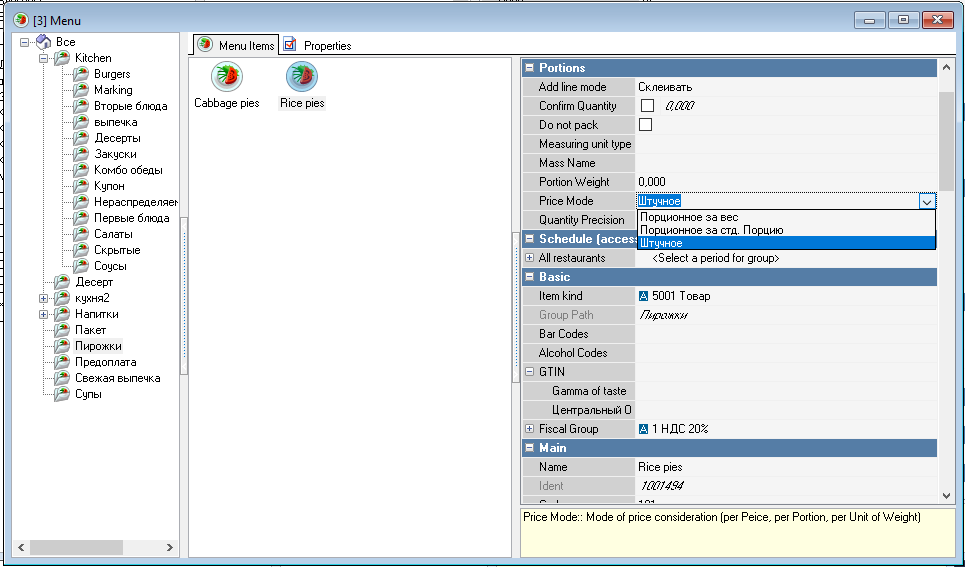
For each menu item (dish) in r_keeper, a "price mode" is set. Relative to this mode, the following rules are set:
"Per item"—the quantity of modifiers equals the quantity of sold dish portions
"Portioned by weight"—for any weight (specified by one line in the order) the modifier is imported in a quantity of 1.
"Portioned by std. portion"—for any weight (specified by one line in the order) or quantity of portions, the modifier is imported in a quantity of 1.
Example: "Grilled trout" is sold "by weight". A side dish to choose from is available for this item (1 portion of side dish for any weight of one fish).
Two "Grilled trout" items are added to the order as separate lines. The weight of the first is 310g, the weight of the second is 375g. The modifier "Vegetable salad" was selected for each line. The result of importing the request into r_keeper StoreHouse Pro — 2 portions of "vegetable salad" were sold with "Grilled trout".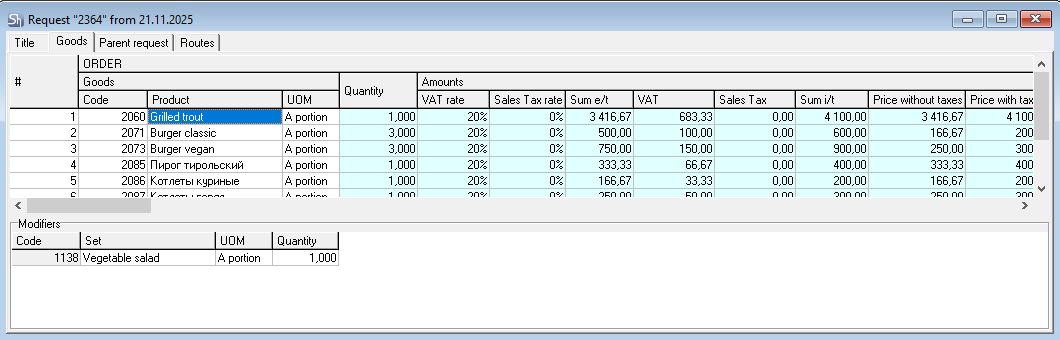
Rule 2
After determining the quantity of modifiers for import relative to the "Price Mode" of the dish (see Rule 1 above), the "modifier scheme" is analyzed (see R-Keeper V7 User Guide).
In each "modifier scheme", for each "modifier group", there is a property "SH Quantity". By default, this property has a value of 0 (zero).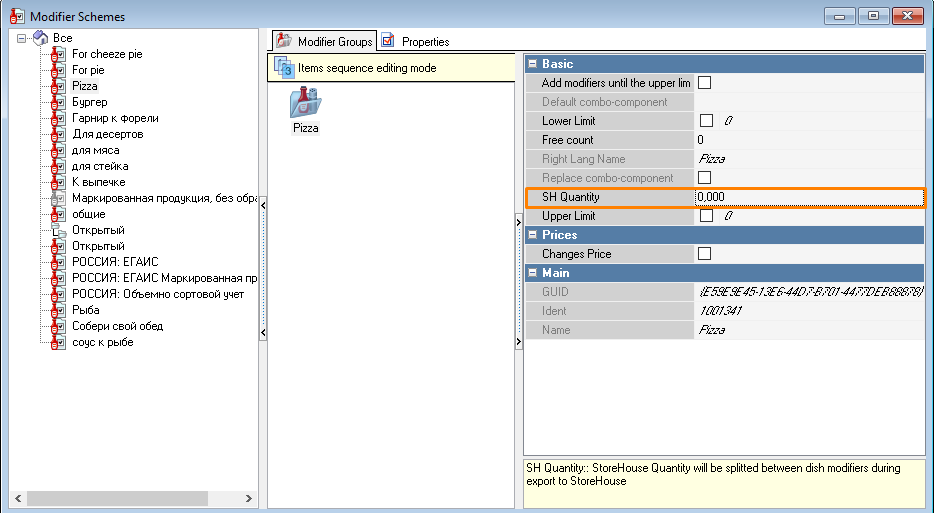
If "SH Quantity" equals 0, then when selecting several modifiers for a menu item (dish), each modifier will be uploaded to the request according to the Rule 1 (see above).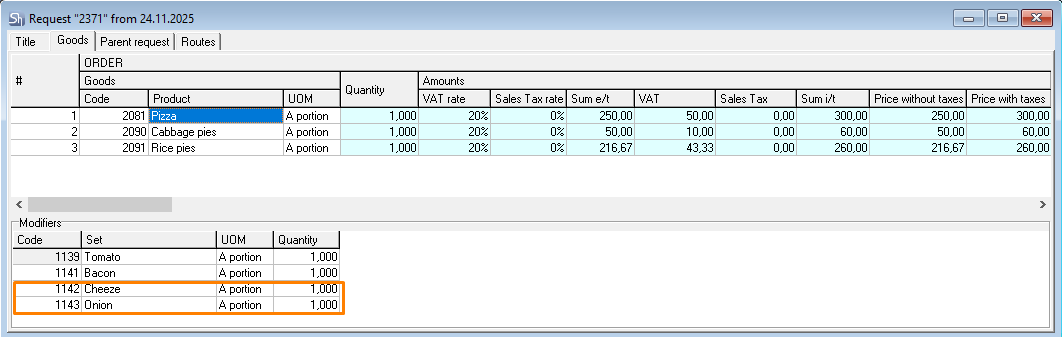
The figure shows an example of the sale of a per-item dish "Beef Steak" with the possibility of choosing two sauces from the modifier group "Grill Sauce". The quantity of sold modifiers equals the quantity of sold dishes.
Rule 3
If "SH Quantity" has a value equal to or greater than 1 (one), then when selecting several modifiers for a menu item (dish) from the same group, each modifier will be uploaded to the request in an equally proportional quantity so that the sum gives the specified "SH Quantity".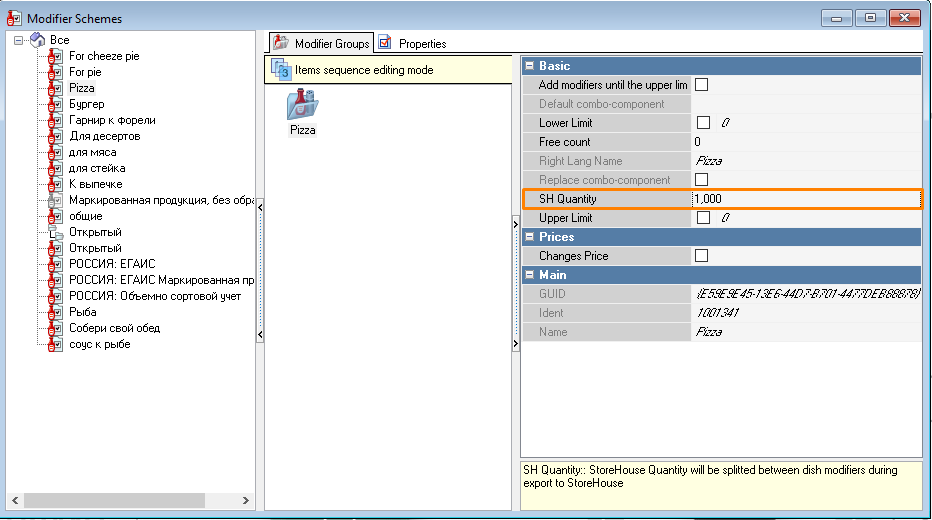
Example in the Fig above: If a per-item dish is sold in R-Keeper in a quantity of 1 portion with modifiers from the "Grill Side Dish" group, then for write-off registration, the quantity of sold side dish for one portion of the per-item dish should sum to 1. I.e., if one side dish name is selected, then the quantity in consumption will be 1 portion. If two side dishes are selected, then the quantity of each modifier in consumption will be 0.5 portions. If three side dishes are selected, then the quantity will be 0.33 portions for each modifier, etc.
The number of selected modifiers in the calculation is analyzed only within a single modifier group (see figure above – "Side dish for grill").
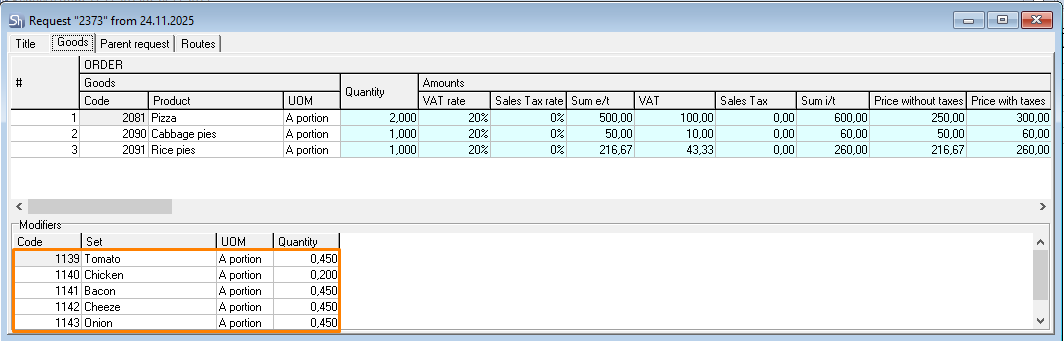
If a per-item dish with modifiers was sold, then when calculating the quantity of modifiers for the request, the quantity of sold portions (one sales line) of the dish will be multiplied by the quantity of modifier portions calculated according to the Rule 3.
If a weight-based dish is sold with modifiers, then when calculating the quantity of modifiers for the order, the weight of the sold dish (per sales line) is not taken into account. The dish quantity used for modifier calculation is considered to be 1, and this value will be multiplied by the number of modifier portions calculated according to Rule 3.
Rule 4
With combined payment for a dish with modifiers, if the import is configured by Currency Groups or Currencies, the quantity split occurs according to the following rules:
If the dish is per-item, the quantity of modifiers is split across requests proportionally to the split of the dish quantity.
The screenshots show an example of quantity distribution for modifiers for a per-item dish.


If the dish is weight-based or an "SH Quantity" is defined for the modifier group, then all the modifier quantity will be assigned to the request for the first currency (currency group) selected when processing the check in r_keeper.

