Imported Requests
One of the main tasks of r_keeper StoreHouse Pro is to process r_keeper sales, which allows for maintaining realistic goods turnover at the enterprise. r_keeper sales are imported into r_keeper StoreHouse Pro using the QushMan.exe application, either manually or automatically.
To view and process imported requests, open the request list.
In the list, imported requests are marked with the corresponding "Imp." flag.
When importing from r_keeper, requests are automatically created as active.
Each request is formed according to the specified import rules. The breakdown of the total r_keeper sale occurs by "Sale Location" and "Customer"—this data is taken from r_keeper—and by "Department"—this data is taken from the settings on the product cards. Thus, the system automatically splits documents by write-off departments.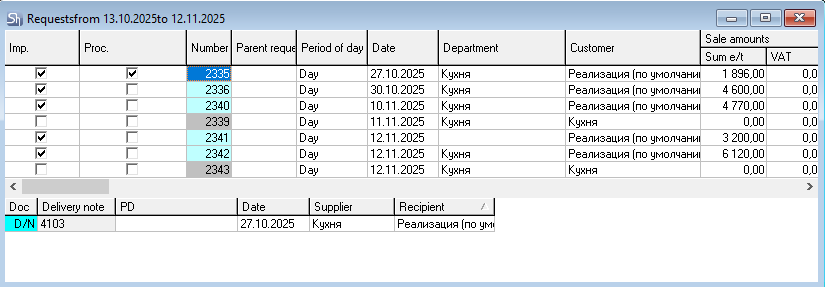
Request numbers are assigned automatically when the document is created in r_keeper StoreHouse Pro according to the rule "last number +1".

If a document was deleted from r_keeper StoreHouse Pro and re-imported into r_keeper StoreHouse Pro, the next number will be assigned, taking into account all deleted documents.
At this stage of system development, requests are not divided by periods. An imported request always has the preset period "All day".
If the list of periods was edited by users, then during request import, the period with the minimum RID – an internal unique period code – will be used.
Imported requests cannot be edited. The fields of the "Title" tab are filled in according to the prescribed import rules.
The request list cannot contain two imported requests with the same date, sale location, department, and customer.
The only field of the "Title" that may not be filled in during import is "Department". In this case, it can be determined manually. After saving the document, the field becomes unavailable for editing.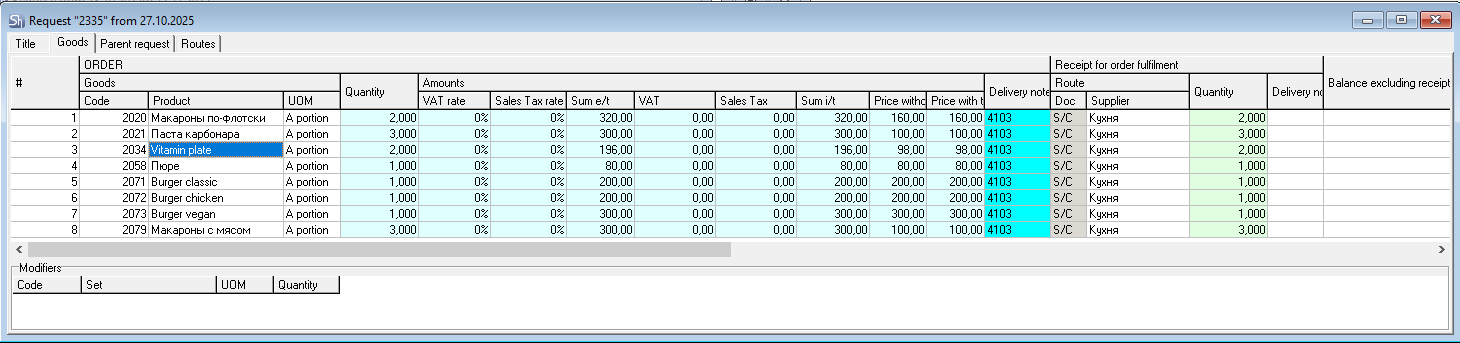
On the "Goods" tab, the nomenclature list (change, addition, deletion) and changing the sold quantity and sale amounts are unavailable for editing.
Quantities for goods in imported requests are indicated in the units of measurement with the flag "Requests" on the product cards. By default, this unit of measurement is "Portion".
"Receipt" - "Quantity" always equals the request quantity. If it is necessary to account for the existing stock of dishes, the function "Calculate Required Receipt" must be called.