Filter for the "Reconciliation of Orders and Invoices" report:
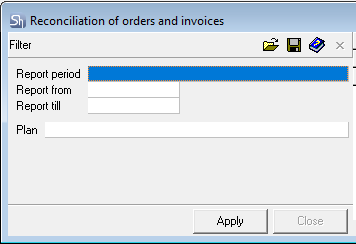
Report from... to... – The report will provide information on orders with delivery dates within the period specified in the filter.
The fields can be filled in either from the keyboard or by using the calendar.
To define the reporting period, you can use the predefined list of periods. To do this, select a value in the "Report Period" field.
To clear a filled date/period field, select the corresponding field and choose the Delete item from the context menu or press the [Delete] key on the keyboard.
Plan – In this field, select the title of the plan according to which the generated orders and the notes created for them will be selected. If the field is left blank, the list will display information for all existing orders with notes within the specified period.