Documents in FoodFactory have a number of predefined layouts for printing. There is also the ability to create custom layouts using ReportDesigner.exe. To connect custom layouts in FoodFactory, on the "Reports" tab, define the use of layouts. To do this, click the "ADD LAYOUT" button.
All custom layouts must be saved in the CustomReports folder, located in the FoodFactory server installation directory. |
 In the opened window, in the "Name" field, specify the layout name that will be displayed when selecting this layout for printing.
  In the "Document Type" field, from the drop-down list, select the document type for which the new layout will be used.

In the "Select Layout" field, from the drop-down list, select the document layout. The drop-down list displays layouts from the CustomReports folder. The selected layout will be displayed for printing in the document list of the selected type.
 After filling all fields, click the "Add" button and the new layout will be added to the list.
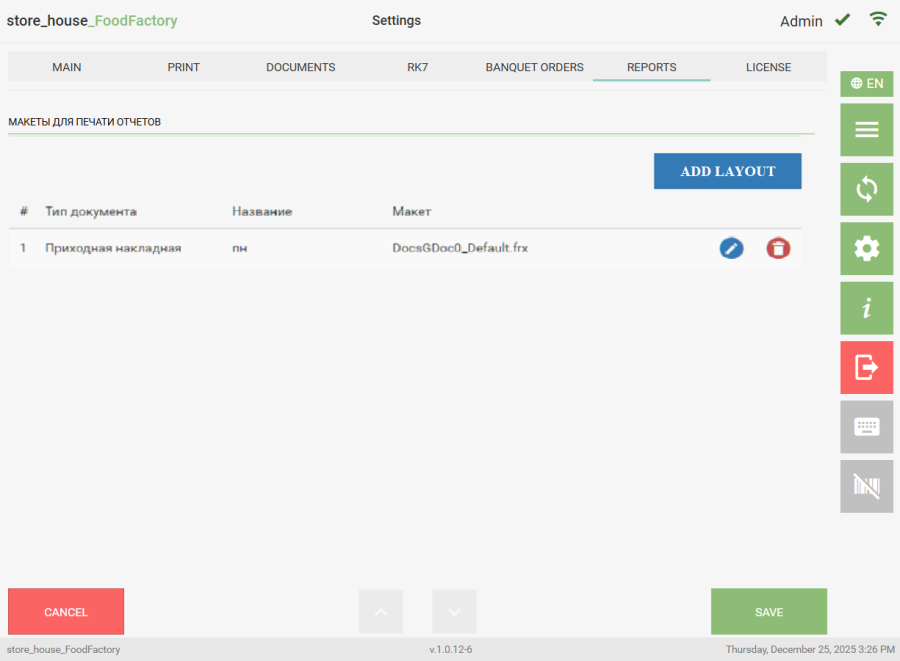
To edit a record, click the button  . To delete a record, click the button
  .
.