In this section, you can generate a report on Service Quality ratings for a specific period of time.
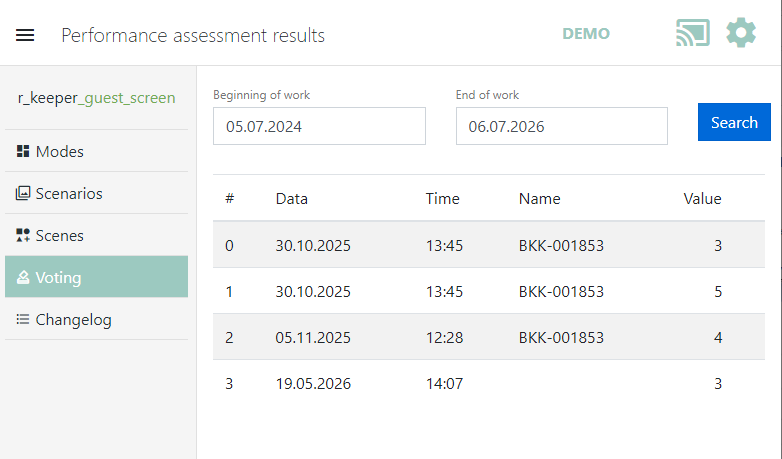
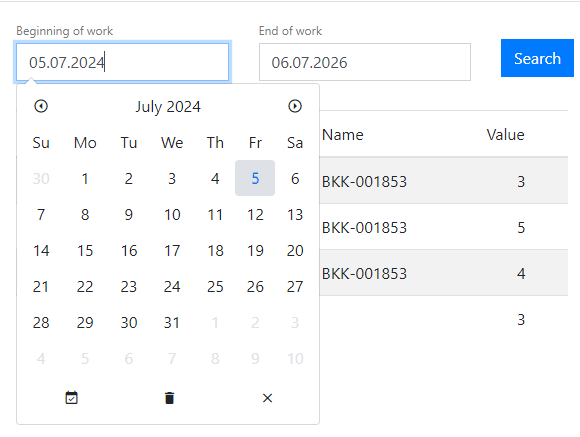
In the Start date window, specify the beginning of the period, and in the End date window, specify the end of the report period. Click the Search button.
The report displays the following data:
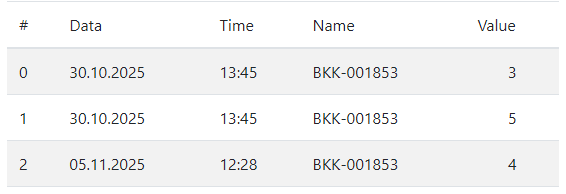
- No. — serial number of the record.
- Date — date the rating was given.
- Time — time the rating was given.
- Name — name of the employee serving the order.
- Rating — the rating selected by the guest.