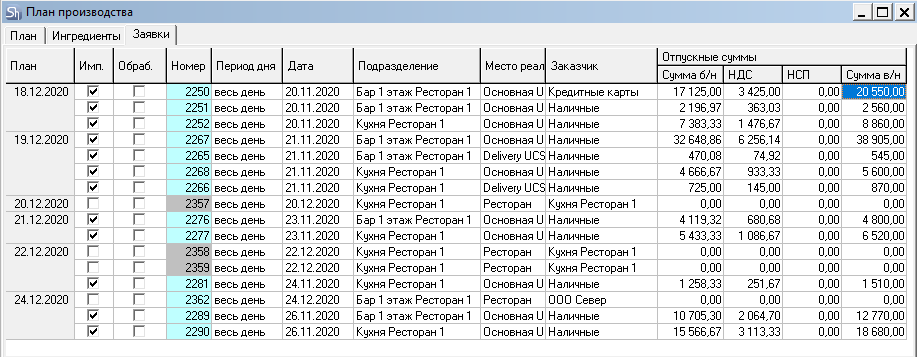
The calculated part of the plan is formed based on requests already created in the database. The list of requests used for the calculation can be seen on the "Requests" tab.
Plan– the planning date into which goods from requests will fall. Date – the request date.
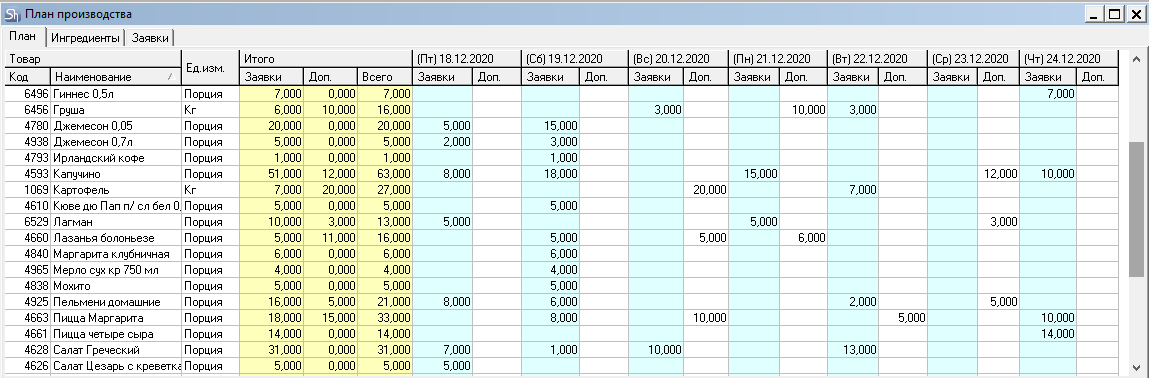
The List of Goods on the "Plan" tab is initially formed from requests.
The list of goods can contain any goods (dishes, semi-finished goods, and ingredients) specified in the requests. If the goods from the requests have the "produce" flag set and a defined set, the list of necessary ingredients will be calculated based on the sets. If ingredients (goods without the "produce" flag) are specified in the requests, they will be used as goods for procurement.
Dates – the number of days specified in the selected plan rule will be displayed, starting from the date specified as the start date of the rule.
Quantity for the "Requests" field- for each goods item, it will be summed from "past sales requests" and from "future requests" with the"Plan"flag.
Important!
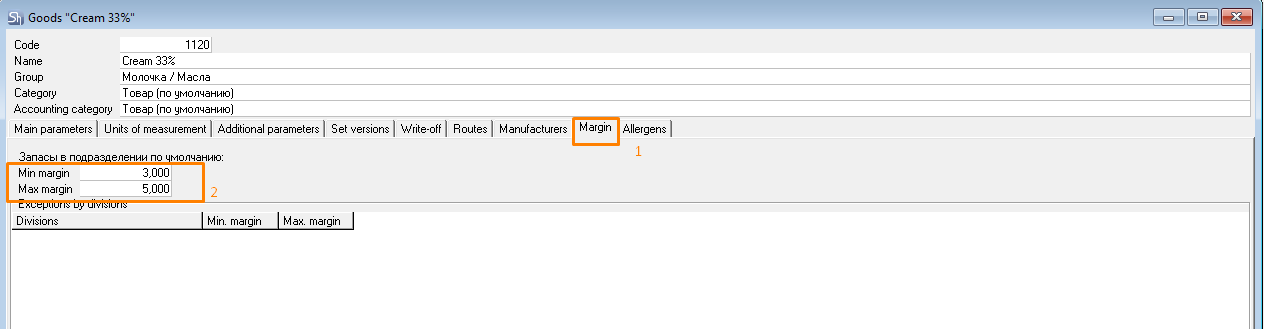
For goods from the production plan to be displayed in the procurement plan, the minimum and maximum stock quantity for the goods must be specified.
Perform the following steps:
In the Production Plan window, go to the goods card. To do this, double-click on the goods name.
In the goods window, go to the Stock tab.
In the Stock in Default Department block, fill in the fields Min. margin and Max. margin.