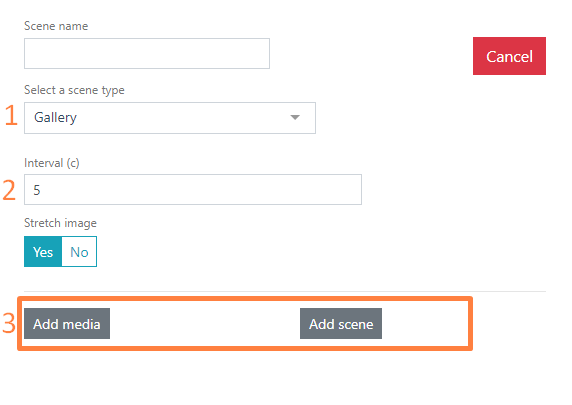
The Gallery scene – a sequence of images, videos, or scenes that can be used in waiting mode. When selecting the Gallery scene type, you can add images, video files, and/or previously created scenes.
To be able to upload media files, configure the media file source. Read more in the General Settings article.
Select the Gallery scene type.
In the Interval field, set the time for changing images on the screen in seconds.
Next, click the Add media file and/or Add scene
When adding a media file, in the window that opens, select an already uploaded file or upload a new one. Added videos in the media files will be listed below the images. Supported image formats: .png, .jpg, .jpeg, .bmp. Supported video format: .mp4
When adding a scene, you can choose from previously created scenes of the Image with Text type