Required Licenses
Two types of licenses are required for operation:
- A subscription license for Guest Screen – R-Keeper 7 Guest Screen 12 months. It is verified online.
- For r_keeper 7.6.5 and higher, an additional license for the HttpOrderNotify interface is required. It is called R-Keeper 7 interface ordernotify 12. The license is added automatically when purchasing the r_k GuestScreen license. The validity period of the HttpOrderNotify license equals the validity period of the r_k GuestScreen license.

The number of R-Keeper 7 interface ordernotify 12 licenses must equal the number of additional connections to HttpOrderNotify.
Activating Licenses
Activating the Application License
The master license R-Keeper 7 Guest Screen 12 months does not need to be activated in the Licensing System. It is activated within the application.
To do this:
- Go to Settings Mode.
- Switch to the application Settings.
- Select the License
- Log in with your Licensing System username and password.
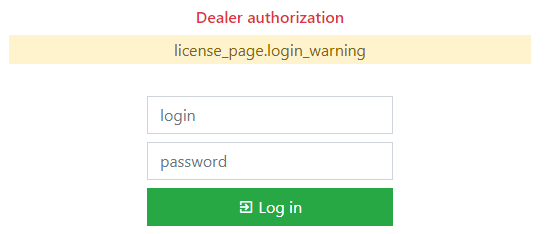
- After successful login, a screen for activating the license will appear.
- Click the Select Use the search to find and select your object.
- Next, click on the Get new section and select the master license.
- Click the Generate
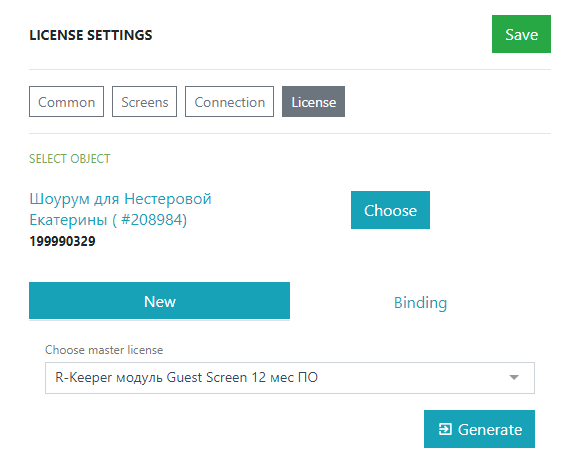
Done, the system is licensed. If everything went well, the standard program window will open.
Activating the Order Receiving Interface
The HttpOrderNotify license must be activated.
The license is automatically accrued with the purchase of r_k GuestScreen. Then the license must be generated and activated in the r_keeper manager station. If you do not have an HttpOrderNotify license, contact the licensing department.
To activate:
- Go to the Licensing System.
- Open the object card.
- Generate a license without a request code.
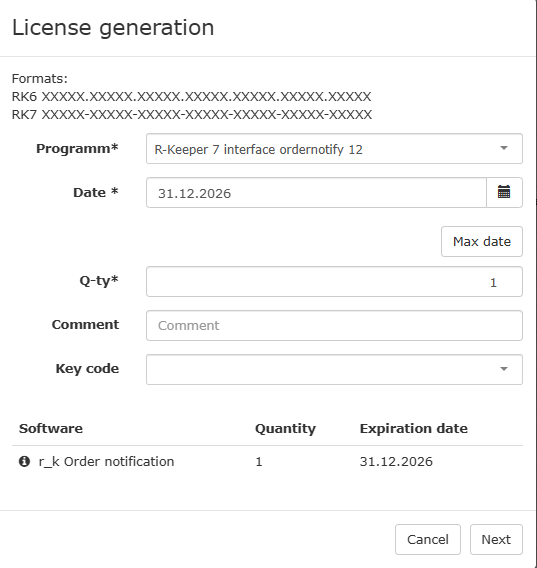
- Copy the license key.
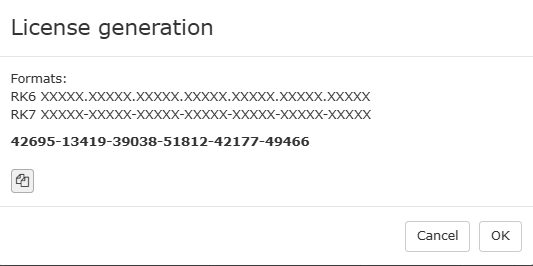
- Open the manager station.
- Go to Service > Cash Stations and Devices > Your restaurant > Properties > Grouped properties.
- Paste the copied key into the HTTP Order Notify
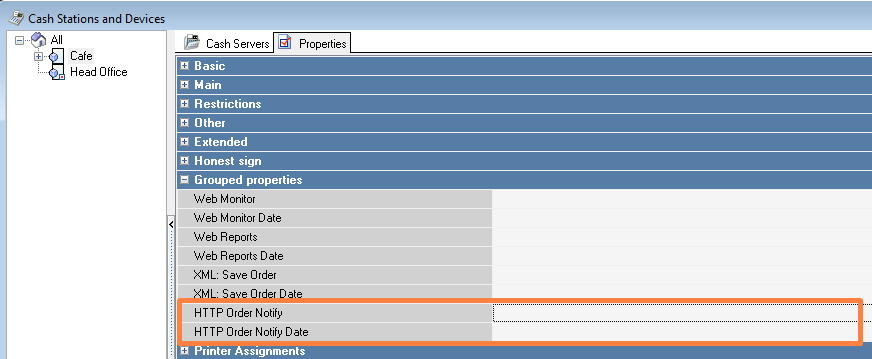
- The license expiration date will appear in the HTTP Order Notify Date
- Save the changes.
- Restart the cash server.
Done, the interface is licensed.