Supplier orders can be created both based on the "Procurement Plan", and manually from the order list.
Orders have different statuses. Order Statuses – this is a separate directory with predefined values. The list can be expanded by the user.
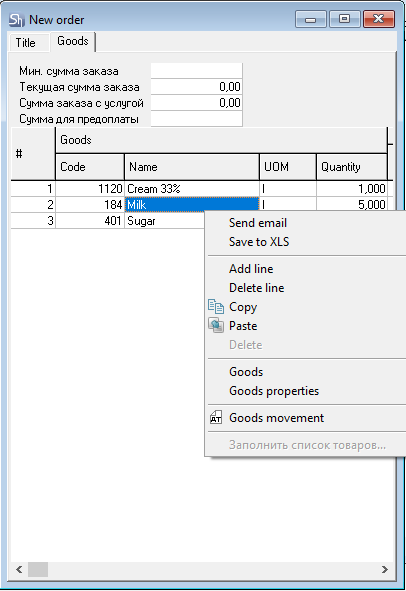
A supplier order can be sent by email. For this, it is required to configure mail servers for each enterprise. And also specify the email address in the supplier's KPP (Tax Registration Reason Code).
A supplier order can be exported to an XLSX format file. To do this, select the corresponding context menu item in the tabular part of the "Goods" tab in the order.
Based on supplier orders, receipt notes can be created.
The result of order fulfillment (comparison of the receipt note and the supplier order) can be analyzed in the "Order and Delivery Note Reconciliation" report.